
3/6/06... Knoppix did ok for awhile, but fundamentally it's not upgradeable and not really designed to be installed to the hard drive. It did pretty good anyway for a year but was getting somewhat unstable, when I tried to upgrade to Open Office 2 it went to apt hell, had to restore from backups. Time for a new Linux. I looked around and Ubuntu seemed to be the most popular on distrowatch, I liked its philosophy, so went for it. First I had to make room, since I had so much I wanted to preserve Knoppix and gradually work into the new system, so I got a 200 gig USB hard drive and backed up everything to files and used dd to back up the mbr, hda1 (XP) and hda8 (Knoppix) so if I had to I could reassemble my system from a wiped disk. That took a couple of days piping through USB 1. My drive is partitioned with 3 fat32 volumes (hda1, hda5 and hda10 for XP, shared and backups), 2 ext2 volumes (hda6 and hda7 for linux apps and what used to be DSL now whatever), 2 ext3 volumes (hda 8 for Knoppix and hda11 for all my junk), and a swap partition. The plan was resize hda11 to make room for a new hda12 to contain Ubuntu but neither the QtPartEd nor GPartEd graphical partitioners could resize it. Unknown reasons, tried defrag and removing the one huge file but no joy, ended up using cfdisk to delete hda11, added the partitions then found my new hda12 was over a gig bigger than the graphical parteds were saying they'd give me, apparently they were getting the disk size wrong. Spent another day restoring the files on hda11, somehow in the backup/restore process root now owned all my files so ran sudo chmod -R 777 * on hda11 to be able to use my files again. Now I was ready to install Ubuntu.
Installation was fairly easy using the text-mode installer, at least once I figured out that if I pressed the down arrow more options appeared... I guess my list of partitions was too long. Basically the idea is to select a manual install (guided it calls it) and place a "/" character in the partition to install to, so made hda12 / and let it do its thing. Worked perfectly first time, automatically preserved XP and Knoppix when it installed the grub bootloader, and once it booted it automatically found my DSL modem and updated about 60 megs of stuff. Very Nice! Spent the next few days installing my favorate apps (after adding universe and multiverse to my sources list) with Synaptic, Ubuntu's simpler "Add Applications" and manually installing and adapting scripts to run stuff I already had installed on the non-OS volumes. Installed QEmu 0.7.0 to run my Win95 system, works fine, installed Vice and Atari800 for the 8-bit stuff, my Atari-Picker bash script works fine, associated C64-specific files to Vice's x64 to be able to double-click them to run. Simh works on just about anything including Ubuntu, haven't tried recompiling yet but I can do that in Knoppix if it gives me trouble. Had to copy over the c++ lib file that Edsac needs, actually a renamed copy of a later lib file but Edsac doesn't honor a symlink. Installed wine to run (some) Windows programs directly. Getting DosEmu/FreeDos beta 9 to work was tricky, first I had to edit the config and unlike Knoppix had to specify the full path to the freedos_b9 directory to make it work, then the fonts were off even after installing the vga fonts. After much RTFM I did (in the directory the vga fonts were) sudo mkfontdir followed by sudo xset rp rehash. That worked, Directory Freedom, QBasic etc now look right. Also later discovered fc-cache -f -v which rebuilds all font directories (at least that's what it appears to be doing). Now I can make scripts and launchers that run individual dos programs. Got the corewar stuff running.. pmars, rebs, my dos test and battle scripts etc, all work fine. My path-editing script for launching Windows Help files in wine by association works. Installing F-Prot via Synaptic did not work, downloaded it from the F-Prot site and installed manually, now it works.
Pretty much I've got most of my functionality back now under Ubuntu, but with a few extra abilities... for the first time I can play WMA files (after installing mplayer and the win32 codecs), made a script to play all files in a directory to simulate how Windows' Media Player can play a directory... and best of all Ubuntu supports my Epson C84 printer and I can print - sort of. I can even print and play music at the same time however once I tried to play something and all I got was a low humming noise and had to boot into XP to play music... that was the norm for Knoppix but at least Ubuntu plays most of the time... yes even when I'm writing about it. The popular included Gimp image program is too complicated for me and I had trouble getting it to print images correctly (got a bunch of raw ps code instead) so I thought why not try installing my favorite Windows graphics program IrfanView into wine... the installer complained about not finding mfc42.dll so copied one to wine's fake windows/system dir and it installed fine. Installed the plugins and ghostview for it so it can read PDF and other files, modified my gowinhelp script to launch i_view32.exe instead (edited wine launch path and put "$winpath" in quotes), and associated jpg and gif files to my new IrfanView script. Now I can double-click images and they open in IrfanView, and it prints correctly. Super-Cool!
Ubuntu is the first "real" Linux distro I've used, and so far I like it a lot. It's stable, looks good enough, runs what I want to run and pops up a little bubble whenever updates are available. How it compares to other distros I don't know, Knoppix doesn't count since it was not designed to be installed to disk. I like Gnome better than KDE, mainly because I can change icons of individual items without changing the icon for every other file of that type. Gnome works more like Windows, I'm just used to double clicking and under KDE was always forgetting and running things twice, or running things when I didn't mean to. Now the problem... and solution...
Gnome, at least what was installed with Ubuntu, does not allow as fine of control over associations as KDE, particularly associations via extension rather than mime type. For most purposes the Gnome/Ubunu-way is fine, simply right click a file select properties and add/remove programs from an "Open With" list. This would be fine except for one nagging problem... it treats plain text as executeable if the exe permission bits are set. On Fat32 volumes all files have all bits set, and so did everything on hda11 after I set them all to 777 to overcome root ownership. Text - especially .txt and .html and a slew of other extensions, should never be executed regardless. So had to set to ask every time, once I accidently "run" a text file and it picked out every bash command in the file and ran it... ouch. No damage but quite a scare. I spent hours digging through man pages, trying to edit mime files etc but apparently the decision to run is based on simply being text and being executable and I haven't figured out how to tell it only ask to run if it starts with #!/ etc. So I guess I'll conform... chmod does not take wildcards in the usual Dos/Windows way.. no way to specify only specific files unless I went to every single directory, so looked around and found a perl script called "deep", which includes a chmod option. Numbers only, can't remove permission bits without affecting other bits but a sweeping numeric chmod is good enough, removed the exe bits from all the file extensions I could think of that should never be executeable. Deep also "fixes" Fat32 permissions but only for the session, after rebooting everything's executable again. In my opinion it should not matter, the OS should know better than think it can run plain text, or worse html, as if it were a bash script. I suppose regular users wouldn't notice this until they try to open text files from Windows. Oh well, fixed now, Life is Good, Ubuntu still rocks despite that little annoyance. For all I know this is how all Gnome installs work, just strikes me as incorrect behavior for an OS. In my humble opinion.
Ubuntu running DosEmu running Freedos running Directory Freedom...
3/17/06 - Slowly but surely I'm adapting, but there are still
things I
find myself rebooting into Knoppix to do, like zip folders and
edit
files
without changing their crlf format. These aren't too big of a
deal,
will
probably make nautilus scripts to perform zipping and converting
to and
from dos text format. I'd rather find an editor that does like
KWrite
and
preserves the line end format unless I change it, but as far as I
can
see
no KWrite for Ubuntu. I tried Scite but found it to be unstable
and
removed,
and it still made me remember to switch to dos format which
defeats the
purpose. One huge thing I can now do in Ubuntu - compile C! Such a
simple
thing that's taken for granted, but when one d/l's simh and types
"make"
and nothing happens it can be a puzzling thing and took a bit of
effort
to get working. Installed make and gcc/cpp 3.3 and 4.0, added gcc
and
cpp
links pointing to the "active" version but still no joy... until
I installed libc6-dev, then it worked. I later found out there's a
"build-essential"
package that includes the basics but better that I know how to do
it
manually.
Simh compiles with either 3.3 or 4.0 (which makes smaller
binaries) but
other software might be more picky about the compiler version so I
need
to be able to pick. Right now I'm doing it by manually copying
renamed
links I made to cpp/gcc/3.3/4.0 and renaming, should be able to
script
this but I found out the hard way that plain cp is a disaster when
copying
symlinks... had links pointing to 3.3, tried to copy links to 4.0
(overwriting
the existing links) and instead it copied the 4.0 binaries to the
3.3
binaries..
oops, had to reinstall them. Must Man First.
3/23/06 - Got Zip finally... funny how such a little thing can be so greatly missed but the solution was simple, added a MakeZipFile script to the ~/.gnome2/nautilus_scripts directory containing more or less zip -r "$1.zip" "$1" wrapped in tests to make sure $1 exists etc. I was pleased to discover Nautilus passes selected items as regular parms, perhaps an edit-as-dos script that runs gedit then when it's done runs unix2dos can solve that other little thing. When running nautilus scripts nautilus passes selected items without full path info, handy. Scripts run by association with folders get the full path in $1, good for some things but usually not for zipping. Right now my zip script only handles one item at a time, usually that's what I want. Handling multiple items would require figuring out what to name the zip file, maybe later.
5/08/06 - Love that auto-update stuff! Many of the minor instabilities just go away on their own without much thought, and at the same time never behind my back (although so far there hasn't been a time I declined to update so not sure what kind of nags would follow but it certainly patiently waits for when I want to do it). I've got a fully functional Knoppix install, and my data files are not on the system partition so I just let it do its thing, and it just works. Mostly anyway, as long as I don't push it and try to run dosbox in a full-screen root terminal... the results are not pretty.
Editing dos files has been a minor problem under Ubuntu/Gnome, if I don't remember to "unix2dos" my Windows clients see formatting garbage when they open the files, due to the way the gnome editor works (default is open new files in tabbed windows), wrapping in a script that does unix2dos afterwards is not always reliable. QBasic /edit (and the dos editor derived from it) converts text files to dos line format, and more importantly has the graphics symbols so useful for making ascii schematics and diagrams, so I made a QEdit script I can include in the right-click for text files...
#!/bin/bash
# run qbasic /edit [file] under xdosemu
# qbasic.exe must be installed in dosemu/freedos
# and available "on the path". The default dir
# on dosemu/freedos startup needs to be on the
# drive simulated by the specified $dosroot var.
dosroot=~/MYDOS
if [ -e "$1" ]; then {
 bn=`basename "$1"`
 if [ -n $bn ]; then {
  mkdir $dosroot/qedit.tmp
  cp -f "$1" $dosroot/qedit.tmp
  xdosemu "qbasic.exe /edit \\qedit.tmp\\$bn"
  cp -u $dosroot/qedit.tmp/$bn "$1"
  rm $dosroot/qedit.tmp/$bn
  rmdir $dosroot/qedit.tmp
 } fi
} fi
Files being edited must fit 8.3 dos filename specs, although can be located in long-named directories containing spaces. For this to work dosemu and freedos must be installed, and qbasic.exe installed into the emulated environment. This script is specific to my environment, with the dos files installed in a directory named MYDOS under my home dir, if attempting to use edit as needed. A temp dir named qedit.tmp is made in the specified directory and the file to be edited copied there, and the command "qbasic.exe /edit \qedit.tmp\filename.ext" given. In my setup my dosemu/freedos is set up to change to "D:" which is the "drive" represented by the directory specified in the dosroot variable. Attempting to edit a file containing spaces in the name results in nothing, editing a file with a non-8.3 name results in "bad filename" being displayed then exits without altering the file. To add into the Gnome environment I put the script in my /usr/local/bin dir, named QEdit (made executable etc) and added QEdit to the right-click properties of text files.
5/28/06 - Lately I've been fooling around with QEMU 0.8.1 which
has
a few new features over the 0.7.0 version installed by Synaptic.
Useful
QEMU links...
The 0.8.1 binary from the web site didn't work for me, it was very fast but the mouse tended to hit an invisible wall and at one point when running full screen after launching from a windowed prompt it rebooted the (real) machine... possibly something to do with SDL, possibly the binary is incompatible with my system. [edit - I think it was just dust in the fan, happened again under totally different circumstances except for "pushing", after cleaning things work better...] In any event to fix the mouse problem and make it as compatible as possible I downloaded the source and compiled it myself. To do that gcc/cpp must point to v3.3 binaries and libsdl1.2-dev and zlib1g-dev have to be installed, after that ./configure then make produced a binary in the i386-softmmu directory. The mouse patch involves minor changes to sdl.c, simply comment out the lines marked "-" and add the lines marked "+" and make again. For now I'm leaving the 0.7.0 version installed, so rather than make install I just copied the qemu binary to the directory containing my Win95 image and modified my launch script to ./qemu rather than just qemu. Command line parms are somewhat different anyway, and this lets me run it under Knoppix without any changes there. The roms from the binary package (or afaict any qemu version) need to be in /usr/local/share/qemu. With not too much effort I had a new qemu binary without the mouse problem, not quite as fast as the stock 0.8.1 binary but still faster than my old 0.7.0 version.
QEMU now has a really cool feature that maps a directory of files to a fat drive under emulation. It's not perfect but tremendously better than having to loopback-mount image files and be root just to transfer files back and forth. My normal system has two hard drive images so I used the option "-hdc fat:rw:shared" to map a directory named "shared" to drive E under Windows. The docs refer to this option as experimental and there are some restrictions... if the directory is too big for fat16 (about 470 megabytes) it won't work at all, weird filenames are not allowed and sometimes even relatively normal names are incorrectly translated (hpiplos_sim.zip shows up as Hpiplos0.zip), and deletes performed in the emulated environment often do not actually delete the file from the shared directory. But it works.
The new QEMU also supports an ISA net card which Win95 can make
use
of, but I haven't had any luck getting "samba" file-sharing
working.
Setting up networking in general requires a lot of know-how I
don't
have without spending hours (or days) reading docs and
experimenting,
and my nice clean Win95 install becomes an unstable pig when the
networking components are loaded. Perhaps because I didn't have it
set
up right but from what I've seen it just isn't worth it - went
from 8
seconds to 20+ seconds bootup and if it saw the network at all
would
lock up on shutdown. I don't know where the problem is but sure
looks
like it's not going to work. Maybe later I'll try it out with
Win98 and
see if it's Win95, qemu, or just me. The new shared directory
feature
solves the transfer problem so it's not something I need.
[ more QEMU notes 9/15/08 - still using a self-compiled 0.9.1,
works
fine, very fast. Never attempted networking again, this is my
super-stable Win95 system, better off without it. For file
transfer the
easiest way is to simply mount the image...
   sudo mkdir img_files
   sudo mount -o loop,offset=32256 imagefilename img_files
... and when done unmount the image...
   sudo umount img_files
   sudo rm img_files
... I now have these in my mount/unmount scripts (using "$1" for
imagefilename so the shortcut can encode which disk image to
mount)
replacing the previous losetup loop6 stuff I was using, which
worked
but always failed the first time. Back to old stuff... ]
Other Ubuntu emulation notes... despite not being able to
associate
by extension, I've got it now where I can double-click a C64 or
Atari
disk image and it runs under x64 (Vice) or atari800. Associating
C64
files with Vice was easy, just had to right-click each type of C64
file, select properties and add x64 as the default app in the Open
With
section. Associating disks to atari800.x11 took a bit more effort
since
after it exists a task needs killing and keyboard repeats have to
be
turned back on (it's always behaved this way), and different
command
line options are needed to start with or without basic. So I made
a
couple of scripts and put them in /usr/local/bin...
------- file xebasic -------
#!/bin/bash
atari800.x11 -xe -basic "$1"
killall "atari800.x11"
xset r

------- file xenobasic -----
#!/bin/bash
atari800.x11 -xe -nobasic "$1"
killall "atari800.x11"
xset r
...then added xebasic and xenobasic to the Open With properties
of
atari disks. One has to be the default (xenobasic) so to launch a
disk
with basic I can right click and select xebasic, or make a
launcher
with xebasic [/path/file] in the command line.
I'm starting to
appreciate the simpler method of association provided by Gnome...
on
one hand it's irritating having all my corewar/redcode stuff show
up on
all plain text right-clicks because I can't tell it to show those
things only if I right-click a red file, but so far that's been
just
about the only real side effect. Redcode is plain text so not like
it
got it wrong. Things like oldcomp disk images aren't recognized as
anything so get associated by extension, I just can't
easily specify a bunch of extensions at once. Common types like
text
and pdf
can be renamed without (much) regard to extension, that's useful.
The
price is exactness, no longer can a simple .something be counted
on to
deliver a file to its application if it's possible for the file
contents to look too much like something else, and without the
.txt to
be a clue, renamed text files don't always remain associated,
especially if the text contains odd characters. Despite this,
different
filetypes tend to be different enough and usually are named with
the
usual
extensions, so unless I give it strange cases it just works (and
for
the exceptions it's easy enough to right-click the file and tell
it
otherwise). Under the hood the mime config files allow for more
exact
associations, theoretically I could set it up any way I want.
6/4/06 - Playing with Dos(Emu)...
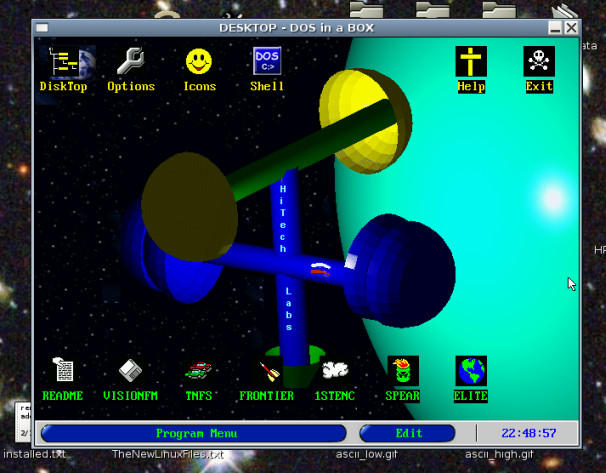
WinDos version 2.15
running under DosEmu 1.3.3 (now called Spectra)
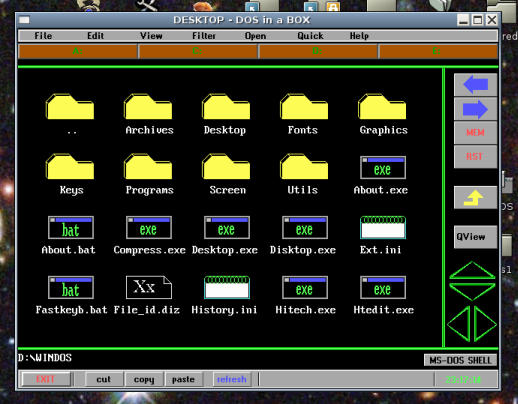
WinDos' built-in file manager
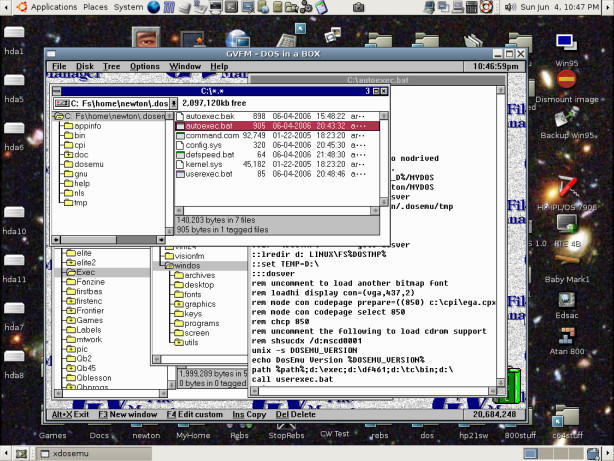
Graphic Vision
File Manager version 1.3
I'm now using DosEmu
version
1.3.3, the bleeding edge version compiled from source. Despite the
disclaimers this version works much better than the 1.2.1 version
installed by Synaptic. Compiling the code was a matter of making
sure
my gcc/cpp links pointed to version 4.0 compiler binaries, and
running
./configure and installing minor utilities (flex bison etc) until
it no
longer complained, then make. I rigged the new dosemu.bin binary
enough
to test, once satisfied it would work I uninstalled the old dosemu
and
make install'd the new version. Changes had to be made to my freedos beta 9 image (for
dosemu
purposes d/l the file version from the DosEmu site), specifically
the
files under dosemu had to be replaced with the ones supplied with
DosEmu, and because it was no longer running the dosemu script
when
xdosemu was run (I made the xdosemu link directly to dosemu.bin)
the
autoexec.bat file had to be altered. DosEmu can use the old
$_hdimage
var in dosemu.conf, but the new version has a more convenient way
to
specify drives - make a drives dir under ~/.dosemu and add "c" "d"
etc
links to the dir trees representing the drives.
6/5/06 - DosEmu 1.3.3 can run just about all my old dos stuff
like
the
original The Need For Speed demo, Elite Frontier / First
Encounter,
WinDos
and the Graphic Vision File Manager. There is still a problem
with the jumpy MS SideWinder joystick in TNFS but other dos
programs
don't do that (that I can tell) so not sure if it's something that
can
be fixed unless TNFS is reverse-engineered to see what it's doing
differently. I was pleased to see that WinDos (now called Spectra)
and
Vision FM live on, but not so pleased that the new versions no
longer
work under DosEmu. They look just about identical to the previous
versions, but the new GVFM corrupts the screen when viewing text
files
and Spectra Desktop can't seem to actually run anything - after
installing the first package it offers to run the setup but the
desktop
files aren't there yet so it fails. A Linux-induced problem is
lower
case dir and file names are different than upper-case names,
leading to
duplicate entries that have to be cleaned up if the files are
unzipped
under Linux. After fixing all that it still wouldn't work..
DosEmu's
title is supposed to display the program name and instead displays
garbage so there seems to be a fundamental parm-passing problem. I
notice it now uses LH (loadhigh) to load things via a "runner"
program,
DosEmu might be too different from real dos for this to work. The
reason WinDos was renamed to Spectra was pressure from MS so there
could be legal issues posting the old version unless it was
sanitized... maybe change all occurences of WinDos to DosWin. No
problems sharing the older GVFM archive whose readme specifically
states redistribution is allowed if nothing is changed.
One thing I noticed about GVFM is it tends to run better if speed
10
(or more) is run first, otherwise the mouse is too jerky. This
setting
tends to hog too much of the cpu for other things so I set up my
autoexec.bat to call a batch that sets the default speed (1), then
in
my vfm.bat I added speed 10 before running gvfm.exe and a call to
my
defspeed.bat afterwards to down-shift DosEmu to the nicer speed.
After
a second reboot incident I cleaned the dust from underneath my cpu
fan,
now I've got xmbmon to keep an eye on things and can see how hard
various programs and settings push the system by how hot the cpu
gets.
Previously freedos lived under /usr/lib and root was owner with
no
user write permissions, resulting in drive C being write-protected
which is usually a good thing. When I made a copy to modify for
the new
dosemu, the owner was reset to me and now it's only
write-protected if
mounted using the $_hdimage dir:ro parameter in dosemu.conf, but
not if
using the simpler link system. So I moved the modified freedos
install
under my home dir .dosemu for easy access, and made scripts which
use
the deep utility to recursively adjust the permissions, running
deep
chmod 444 "*" --process=f in the freedos dir write-protects
everything,
running deep chmod 644 "*" --process=f allows writes, for safety
put
the commands after the cd command with && so it runs only
if
the cd succeeds. No sudo needed since they're my files. Now I can
write-protect everything and allow writes only to autoexec.bat and
new
files, leaving the freedos binaries protected.
6/8/06 - Ubuntu uses sudo to run things that need root-level
privilages (like xmbmon), as configured it asks for the user's
password
before proceeding. The graphical stuff like Nautilus pops up a
graphical input box for entering the password but for stuff I
installed
I have to run in a terminal, not pretty and inconvenient for
running
things that don't need the reminder (like xmbmon). Browsing thru
the
man pages I noticed sudo -S reads the password from stdin, so made
a
script to
launch xmbmon...
#!/bin/bash
echo password|sudo -S xmbmon -fahrn True -tmin 60 -tmax 140 -vmin 1.3 -vmax 1.7 -clvc "black"
...along with a launcher to run it. This trick should only be
used
for things that aren't likely to be dangerous, things like
root-level
file managers etc should require password entry even if only to
remind
one to be careful.
The new Ubuntu Dapper is out but I think I'll stick with Breezy
for
now, at least until the bug-related messages in the Ubuntu forums
die
down. Any new release going wide-spread is sure to have
undiscovered
bugs, Breezy was buggy when I first installed it but thanks to
updates
is now quite stable. Before trying the upgrade button in the
updator I
need to make dd images of all my partitions, as well as full
file-archive backups of everything important in case individual
things
need fixing.
6/12/06 - Bug
Brain
running under wine (v20050725)...
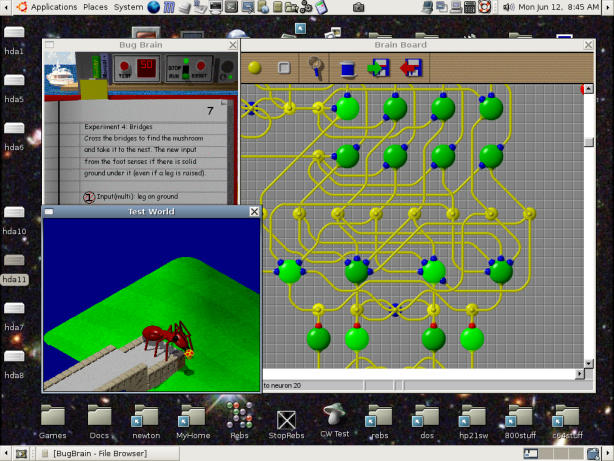
Once it's installed under Ubuntu it won't work if the "bug.exe"
is
simply double-clicked as this does not set the current directory,
at
first I thought it didn't work (although the install seemed to
work)
and installed it into XP instead and worked through the
experiments to
unlock the fun. Once back in Ubuntu I browsed to where it was
installed
in XP and tried again to double-click run the exe and nothing,
curious
as to what the error was I opened a terminal in the directory and
entered wine bug.exe and it worked fine, cool! I copied the
installed
files out of XP to one of my directories so I could save stuff and
made
a script that cd's to there and launches bug.exe in wine. I'm
pretty
sure it would have worked installing directly into wine had I have
made
sure the proper directory was current when launching, but at least
for
this program nothing is installed into the registry or system
directories so wine doesn't care where the program files are.
Initially I tried running Bug Brain under QEMU running Win95,
that
almost worked except the poor critters would walk sideways when
facing
to the right and fall off the branch when commanded to go forward.
More
complex brains with the appropriate senses could sometimes manage
to
survive despite the bug producing amusing results. [Note
4/21/08...
updating to QEMU 0.9.1 and new rom images fixed the graphics
driver
problem, BugBrain in Win95 runs fine now.]
6/17/06 - Elite has been one of my favorite games since the C64,
vice faithfully recreates the original experience... slow and
lacking.
PC versions of Frontier and First Encounter ([JJ]FFE) run fairly
well
under dosemu (1.3.3) but there are sometimes minor mouse and speed
issues, native is usually better when possible. GLFrontier (aka
frontvm3) is a linux port of an Atari ST version, sort of... it
emulates hacked code on code taken from an Atari ST emulator
called
"hatari". I downloaded and compiled both using gcc/cpp 3.3, had to
install various things like libvorbis-dev and libogg-dev as
suggested
by ./configure or make config. I rigged up Hatari to use EmuTOS, a
free
ST semi-TOS-compatible OS, theoretically I could d/l and run ST
programs (maybe). GLFrontier seems much faster than what running
the
full emulator would suggest, all resources are devoded to running
the
modified 68K code as fast as possible while using native graphics
libs
and stuff to do the drawing. A little problem with the "space
dust"
goes away after ctrl-e a few times.
Frontier and FFE simulate relative flight physics where one can
be
facing a different direction than travelling. The original Elite
only
knows one direction, forward. Not authentic but makes it easier to
shoot and evade. The original had a gaming system simple enough to
remember - buy stuff, go places and sell it, try to make credits
and
not get blown up, if necessary hex-edit the save file to buy
bigger
lasers. Some time ago I found and compiled Elite The New Kind
(TNK),
nice but no joystick and as far as I can tell full-screen only.
TNK
ended up being deemed too close to the original and was removed
from
the net. "Oolite" was written completely from scratch to avoid the
more
unfortunate side-effects of trying to keep an old game alive. I
had an
old version on one of my partitions but it requires GNUstep which
I
don't particulary want infesting my system. Fortunately the new
version
(1.62-5) includes the necessary lib files which can be placed
anywhere,
all I had to do to get the binary tarball running was edit the
install
script to put it all where I want it (on another partition) and
add a
mkdir for the bin directory (no longer /usr/local/bin which
usually
does exist, could have done it differently and not had to do
that).
Once the install script does its thing the whole install can be
moved
by editing the two scripts under wherever the bin dir was
specified to
be. And finally my MS SideWinder joystick works without having to
settle for the old wire-frame version.
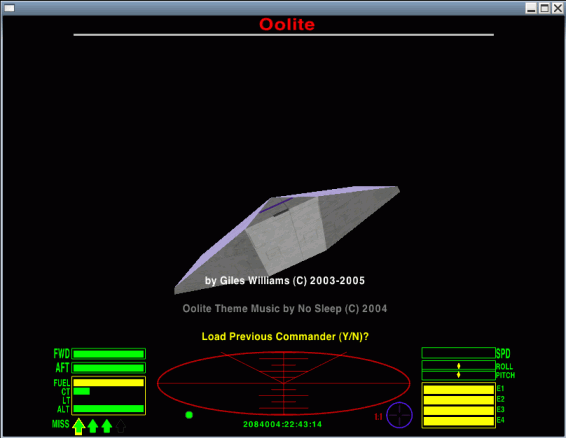
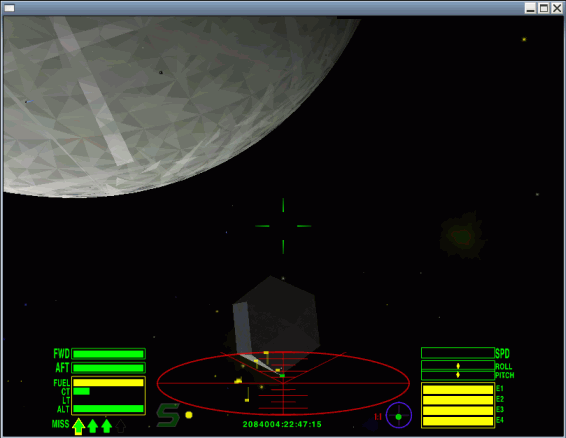
Nice, should make a fine time-waster.
6/19/06 - Hatari
works
well, with little effort I found a real TOS rom file and had it
running
an ST version of Elite, USB joystick and all...
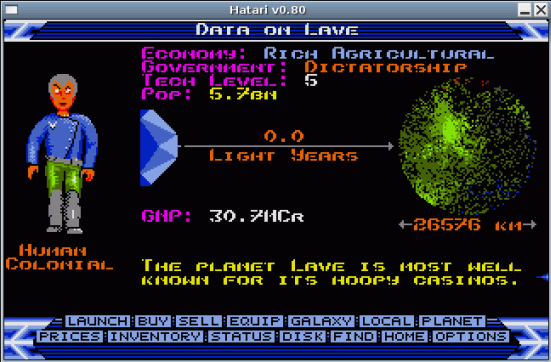
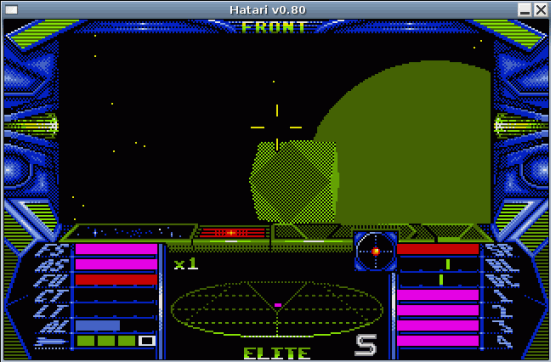
Although the graphics are primitive this is the fanciest of the
original Elites I've seen, at least that I can effectively emulate
under Ubuntu. Sure beats the version I had...
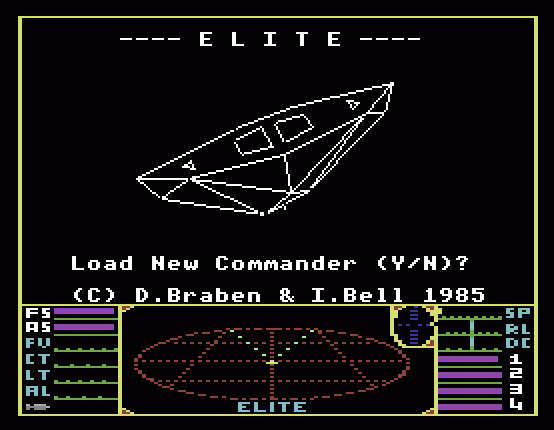
The ST version is fancier but I noticed the other ships are
easier
to "get" [...on second thought... they can be quite formidable...
those
must have been the newbie training ships...]
6/21/06 - I recompiled Hatari using cpp/gcc 4.0 and found it to
be
smaller and faster, better for Elite/ST which is becoming my
favorite
version [of the originals]. A lot of it is because of the quality
of
the Hatari emulator,
nice little things like a file system and a joystick that works.
Once upon a time I used to have to fix those things... torture for
an
amp tech, cursed the design after one went belly-up on the bench
doing
one of those wretched chips-soldered-to-chips ram upgrades and I
had to
buy the guy a new one (but it was OK, its parts allowed others to
live). As bad as the machines were they were pretty capable for
the
day, nice to see good old TOS/Gem running again.
7/3/06 - More Adventures in Compiling... I wanted to check out
the
original BBC Elites so got the source for the unix version 0.0.7
of the Beebem
emulator. Had to install g++ and gtk 2.0 dev packages as
indicated
by ./configure, after that make and sudo make install compiled and
installed it to /usr/local without problems. At first I
was unable to boot disk images from the command line until I
figured
out they had to be named "*.ssd". I found at least three versions
of
BBC Elite, the original has black and white vector graphics,
similar to
the C64 version but the scanner display doesn't look as good
(command
line beebem -Model 2 -Tube 0 [diskfile].ssd). The "Master 128"
version
has color vector graphics, otherwise looks like the C64 version
(parms
-Model 3 -Tube 0). The "Executive" version is for a dual processor
BBC
(parms -Model 3 -Tube 1) and is similar to the 128 version but
different "modern" fonts, default commander is mega-rich, and
starts up
with a lengthy animation and vector text display.
BeemEm doesn't support joysticks, not much fun playing Elite
using
just the keyboard so I looked around for programs that translate
joystick events into keystrokes. Eventually I settled on QJoyPad which was the
only
one I found with a GUI for setting up the keys. Getting it to
compile
required installing qt3-dev-tools, libqt3-mt-dev and libxtst-dev,
but I
think it was designed for Qt2 (not available from the
Ubuntu repositories) and the GUI is intermittantly broken.
Sometimes it
works fine, at
other times changing certain things (sometimes anything) causes it
to
reload the profile. Occasionally it misreads a keystroke implying
message-passing problems but who knows, without the exact
libraries
(and compilers) used to originally create the program all sorts of
version-induced bugs are possible. Fortunately the profile
selector and
main functionality of the program is unaffected, the settings are
in
plain text files and easy to edit using the xev utility to
determine
key codes. Once set up it works well, now I have buttons for ECM,
hyperspace, throttle, views, targetting... very cool.
9/2/06 - I was working on some oldcomp research that required
multiple screen dumps of a window in order to reconstruct a
readable
listing of a program loaded in an emulator. One part of the
puzzle, xwd
for x-window dump, was already installed but only Gimp seems to be
able
to load the resulting bitmaps so I used Synaptic to install the
imagemagick package to get the convert utility, and made this
shell
script...
#!/bin/bash
# Xdump - This script dumps the contents of a X windows to gif files
# Edit to specify output directory, default ~/Desktop/ImageDumps
# Renames the output file in sequence starting with dump1.gif
# Note..filenames and paths below must not contain spaces!
# Requires xwd and convert from imagemagick
# ---- config variables ----
outdir=~/Desktop/ImageDumps
namebase=dump
nameext=gif
namenum=1
tempdir=~
# --------------------------
xwd -nobdrs > $tempdir/xwdimage.xwd
mkdir $outdir
while [ -e $outdir/$namebase$namenum.$nameext ]; do
 namenum=$[$namenum + 1]
done
convert $tempdir/xwdimage.xwd $outdir/$namebase$namenum.$nameext
rm $tempdir/xwdimage.xwd
Saved as Xdump to my scripts directory, made it executable, made
a
launcher to run it and added it to my top panel, problem solved.
Now I
can click the launcher then click any window and it is numbered
and
saved to an ImageDump directory on my desktop. Consecutive dumps
are
named dump1.gif, dump2.gif etc without having to crop from a full
screen, save as etc for each and every dump. Just click click
done. At
least the dumping part, once out of emu I still had to manually
crop
each image so the code would line up but that was easy compared to
what
it would have taken to complete the job.
The dos version of the NO$ZX80/81
emulator is nice! I didn't get far
with other ZX81 emulators under Linux, the one native emulator I
found
wouldn't compile, wine made a complete mess of the desktop when I
tried
to run the "81" emulator under it, the vb81-min emulator worked
under
QEmu/Win95 but was too slow in that environment. The fourth try
was a
charm, no$zx8.exe from the no$zx4-x.zip file works fine under
DosEmu,
has a nice debugging screen and is plenty fast enough. My first
computer was a self-assembled ZX81 kit, to which I soon added a
wobbly
crashy 16K ram pack, wrote Life, played Chess, wore out the
keyboard,
made a keyboard out of guitar strings and eventually decided to
get a
CoCo. The emulated ZX81 is much better.
11/3/06 - Recently I installed VMware Server
(1.0.2) into my Ubuntu 5.10 system so that I can run WinXP
in a virtual machine (VM) without rebooting. VMware lives pretty
close
to the kernel,
installation requires having the exact Linux headers for the
kernel and
the same (more or less) version of the compiler used to compile
the
kernel. Also requires "inetd" (by that name) and various
development
utilities. For my system I installed
linux-headers-2.6.12-10-386, cpp-3.4 (and gcc-3.4), g++-3.4,
build-essential and inetutils-inetd. Links named cpp, gcc and g++
had
to be created to point to the 3.4 compilers, to handle the various
compiler versions I have I've been using usegcc3 and usegcc4
scripts,
made another one named usegcc34...
#!/bin/bash
echo "Adjusting links for gcc 3.4"
sudo rm /usr/bin/cpp
sudo ln -s /usr/bin/cpp-3.4 /usr/bin/cpp
sudo rm /usr/bin/g++
sudo ln -s /usr/bin/g++-3.4 /usr/bin/g++
sudo rm /usr/bin/gcc
sudo ln -s /usr/bin/gcc-3.4 /usr/bin/gcc
To get it to install without complaining I had to make a link
named
"inetd" pointing to the installed inetutils-inetd binary then edit
the
/etc/init.d/inetutils-inetd.sh script to use inetd rather than the
longer name. VMware requires uninstalling and reinstalling with
updated
headers whenever the kernel is updated, fortunately this seems to
be
easy enough and the kernel doesn't change that often.
VMware Server simulates an entire PC complete with internet, hard
disk(s), cdrom and USB ports. VMware is a virtualizer - it runs
the
target code as a task on the actual processor, greatly
increasing execution speed over emulators that interpret the
machine
code. VMware doesn't replace simpler emulators like DosEmu, Wine
and
QEmu for simpler tasks, for simpler tasks simpler tools are better
and
offer a higher degree of convenience. Using DosEmu I can right
click a
file and edit it with qbasic /edit, using Wine I can double-click
a
picture and it loads into a Windows-based graphics editor, and
Win95
under QEmu works from Knoppix or Ubuntu or probably even a live-cd
without installing much besides the roms. VMware can't do those
things
but what it can do is very cool - thanks to the supplied "tools"
package for XP, the mouse can be moved between XP and other Linux
apps,
text can be copy/pasted, and the simulated graphics adapter can be
resized to fit the window instead of having to settle for too
small or
too big. In effect VMware turns XP into a Linux app that can be
run
anytime I want to, greatly increasing productivity. It's not
perfect...
full-screen games sometimes have trouble... but for just about
everything I need to do XP under VMware is better than the real
thing,
especially considering the other advantages of running virtually
like
not having to reboot and simplified backup requirements.
Most of the issues I encountered at first (things simply not
working) were related to XP Home's 5-device
limit but once I identified that feature it was easy enough to
disable
the
floppy from within XP and use VMware's GUI to turn USB things on
and
off as needed. File transfers are a problem, I had no luck setting
up a
file sharing network and VMware's virtual disks cannot be reliably
mounted for writing under Ubuntu. For now I'm using a USB
thumb-drive,
which works
but could be more convenient... XP counts the thumb-drive as 2
devices
due to its built-in software which looks like a cdrom, and the
program
that's supposed to remove the software rebooted the VM instead -
possibly a USB incompatibility, possibly buggy software. XP popped
up a
bubble whenever a USB file device was inserted stating the device
could
be faster if plugged into a USB 2.0 port, but as far as I can tell
it's
running full-speed and not broken. TweakUI took care of the
message.
The only other odd thing I noticed was I had to add a
startup batch containing a ping to get IE to work right away
without
having to
click "try again" the first time after booting up the VM. Of
course
Windows software often has major issues - especially things that
pop up
windows demanding attention while I'm working, trying to get my
data so
they can sell me more more more - but I'm comforted knowing it's
all
going on in its own isolated world I can make go away with just a
click. Yea, much better.
11/19/06 - Unreal. I've been trying to tell Ubuntu (5.10) that
it's
ok if I directly access my parallel port, but nothing I do makes
any
difference... it just simply won't work for old-style IN/OUT
instructions. There is no /dev/parport0 etc devices often
mentioned,
there's lp0 and /dev/.static/dev/par0 (possibly after using commands
trying to make it work) but these devices don't work with DosEmu,
QEmu
or VMware. So far the only way I can use parallel-port
PIC-programming
software on my "modern" machine is boot from a dos floppy, which
is
less than satisfactory (well... at least rebooting to an A:\
prompt
isn't as scary as rebooting into XP and nothing will (ever) pop
up..).
I've checked/unchecked/edited/rtfms for hours with no luck -
hmmm...
"securing" the parallel port seems to induce less security when
the
user locked out of the port has to use drastic measures to regain
access, kind of overboard if you ask me. Yea it might be a problem
if
someone tried to program a PIC while something else was printing
but
the mechanism is already in place to prevent that. All I want is 2
port
registers (&H378/9, better yet &HE000/1) that can't be
used to
hack anything but what's connected to the port which I really
really
want to hack.
Well, I guess I can set up a Spectra/VisionFM GUI environment for
coding and programming robots,
thankfully the critical compiler,
assembler and programming software all run
under
plain dos and at least when not actually programming chips I can
run
exactly the same environment and files under DosEmu. For this to
work
the environment needs to end up being seen as the same drive
letter by
both DosEmu and the boot floppy so that file references won't get
messed up.
3/12/07 - I had to do PIC-programming for a (real) work project,
involving those little 8-pin PICs that can be programmed by
MicroChip's
PICkit USB programmer. Last time I did that my main system was
Win95
running on "old faithful", and the only thing on my then new
1.4ghz
machine was XP. Developing code under XP wasn't so bad back then
because it didn't tie up my main machine and there wasn't all that
commercial stuff popping up interrupting me. Here it is 3 years
later,
old faithful is practically not used anymore and Linux/Ubuntu is
my
system, and there's so much stuff popping up in XP I can't
effectively
write code there... but at least thanks to VMware I can put XP in
a
window and minimize it. For weeks I couldn't get started on my PIC
project then I realized why (besides oldcomp hacking:) - I
couldn't
simply write my code anywhere I want, right-click the source and
compile it, then burn it into the chip. For this I couldn't escape
to a
popup-free "Dos" environment since the PIC programmer required XP,
plus
unlike robot programming I had to keep numerous docs open or
available
to figure out the "hard stuff". The solution was a bash script...
dosroot=~/MYDOS
if [ -e "$1" ]; then {
 bn=`basename "$1"`
 pn=`dirname "$1"`
 if [ -n $bn ]; then {
  unix2dos "$1"
  mkdir $dosroot/simple.tmp
  cp -f "$1" $dosroot/simple.tmp
  xdosemu "sim2hex.bat $bn"
  cp -f $dosroot/simple.tmp/*.src "$pn"
  cp -f $dosroot/simple.tmp/*.lst "$pn"
  cp -f $dosroot/simple.tmp/*.hex "$pn"
  rm $dosroot/simple.tmp/*
  rmdir $dosroot/simple.tmp
 } fi
} fi
This little script 1) separates the file name and the path name
to
permit calling a compiler batch without the Linux path and copying
the
resulting files back to the directory the source is located in, 2)
runs
unix2dos on the source to make sure the line ends are CRLF (could
have
done that on a copy but I have to submit the source for review on
Windows machines and need the master source to be CRLF format), 3)
makes a temp dir within ~/MYDOS which my install of DosEmu sees as
drive D and copies the source to it, 4) uses DosEmu to run a batch
file
which I programmed to change to the temp dir, compile the file,
then
assemble the resulting machine code into list and hex files (see
below), then 5) copy the assembly, list and hex files back to
where the
original source was and remove the temp directory. The key here
was the
GNU/Linux dirname command. After adding the script as a
right-click
option now I can write code, right-click it and compile, and have
the
results appear where I'm working (and not have to copy files to
and
from another environment, that's a time and concentration drag).
For
PIC burning, I can keep PICkit running in XP minimized while
making
changes to the source, then copy/paste the hex code (text)
directly
into the Windows environment, takes just a few seconds. My PIC
program
came together rather quickly with the help of DosEmu for the old
stuff,
VMware for the new stuff, and Linux for the environment.
Here's the "sim2hex.bat" file used to compile and assemble
"simple"
PIC source, placed in a "path" dir within the DosEmu file
system...
:: compile a pic program using SIMPLE then assemble using CVASM16
:: don't specify path.. either change to dir first, or put in \simple.tmp
:: creates .SRC .LST and .HEX files with same basename
@echo off
cls
echo.
if exist \simple.tmp\%1 cd \simple.tmp
if not exist %1 goto end
md compile.tmp
copy %1 compile.tmp\*. > nul
cd compile.tmp
for %%f in (*.) do set basename=%%f
cd ..
del compile.tmp\*.
rd compile.tmp
echo Compiling %1 using SIMPLE...
call simple %1
if not exist %basename%.src goto error
echo Assembling %basename%.src using CVASM16...
call cvasm16 /L /M %basename%.src
if exist %basename%.hex goto end
:error
echo.
echo ***** ERROR *****
if exist %basename%.src goto error2
echo Compiler error, .src .lst .hex files not updated
goto error4
:error2
if exist %basename%.lst goto error3
echo Assembly error (see .lst), .hex file not updated
goto error4
:error3
echo Assembly error, .lst and hex files not updated
:error4
pause
:end
...the simple.exe compiler and a batch that chains to the CVASM16
assembler's installed location is also in a path directory but the
paths could have been hard-coded. These exact scripts would only
be
useful to someone who writes "simple" PIC code under Linux, but I
imagine there's lots of old programmers out there who feel like
their
programming freedom has been taken away by all this modern
computing
stuff... take it back, write DosEmu scripts and avoid months
learning
modern stuff that often doesn't work as well.
3/20/07 - A few days ago I upgraded my Ubuntu 5.10 install to
6.06
LTS using the GUI update application, which for awhile had been
displaying a button for the upgrade. With end-of-life fast
approaching
on 5.10 and critical "homework" done, it was time to backup my
current
system and click that button. Before upgrading I uninstalled
VMware
since it's closely tied to the kernel and needed upgrading anyway,
no
other preparations were made beyond making sure I could go back if
something went wrong (dd images of the MBR and the previous Ubuntu
partition plus copies of the files). Before upgrading I had
roughly 2
gigs free on the partition. The upgrade took a few hours, starting
with
downloading all the packages but then things got a bit scary. The
only
interaction was deciding whether or not to replace a few modified
config files (mostly I replaced them, a handy difference function
helped), and constantly having to click OK to clear the missing
icon
warnings after the installer deleted some of the icons (and
programs,
particularly Mozilla) being used by my top launch bar (the upgrade
process removes "unsupported" programs that were installed via the
apt
packaging system). The scary part was reading the messages flying
by in
the terminal.. non-empty directories that couldn't be deleted,
things
like "slocate" that would no longer work, a couple of undefined
print
errors in a perl script called "defoma" (a clue for problems to
come),
but in the end the system rebooted and came back as 6.06 - whew!
After the upgrade I had a bit under 900 megs free, removed the
Mozilla launchers and others causing missing icon errors, used
Synaptic
to clear out the cached packages to get back most of my disk
space,
reinstalled VMware and Mozilla/Composer and other things removed
during
the upgrade, removed outdated kernels and no-longer-needed
linux-headers, got it back to 1.6 gigs free but I'm guessing the
upgrade process consumed roughly 400 megs of extra disk space..
there's
probably a lot of "dead wood" hanging around. The upgrade didn't
touch
any of my customizations, everything I had in /usr/local was
intact,
all my oldcomp stuff still worked, my /mnt-->/media link was
intact,
except for shifting around a few icons my desktop looked the same.
The
mime database is different - all my right-click options are there
but
now there's a lot more overlap, i.e. stuff that used to be
displayed
only for some files now shows up for all text files, not a big
deal.
Executable scripts no longer show a right-click "Text Editor"
option,
had to add a duplicate entry to avoid having to double-click
scripts to
edit them. Html files no longer have a separate icon, no clue how
to
get that back (yet - Gnome associations are a nightmare for
another day
- whatever, it works).
So far I've discovered only one thing that didn't work, and that
apparently had nothing to do with the distro upgrade - the F-prot
update script no longer functioned but instead bombed with
undefined
variable errors and a "Something is seriously wrong" message. A
few
days before the upgrade perl had been updated to 5.8.7 and no
longer
contained modules that had previously been present, including file
IO.
Probably why I saw the undefined variable messages during the
upgrade.
The instructions on the F-prot site to add the required modules
using
the "CPAN" shell didn't work, always said make was "NOT OK". Turns
out
that perl 5.8.7 has a broken CPAN shell, fortunately I was able to
add
the required modules using Synaptic (installed libio-all-perl and
libnet-perl) and that fixed the problem with the F-prot update
script.
I read that perl 5.8.9 will include a fixed CPAN, available now as
a
.pm text file but not inclined to figure out what to do with it,
installing modules using Synaptic works fine.
The upgrade, besides being necessary, was absolutely worth it. My
system seems more responsive and there is more pre-packaged
software
available than I had before. As time goes by I'll clean out
leftovers
from upgrading - I've noticed that marking a package for
reinstallation
often removes obsolete files so perhaps as more packages are
updated
some of this will happen automatically - but a few hundred megs is
plenty worth it to avoid having to set up everything again from
scratch. Thank You Mark Shuttleworth and to everyone on the Ubuntu
team
- Good Job!
3/25/07 - I found a nice solution to Gnome's association
"problem"... the ROX
MIME-Editor.
This
requires
ROX-Lib
which should be placed in ~/lib, the program itself can be
anywhere.
Run
"AppRun" to start, root privilages not required. To eliminate the
majority of inappropriate actions from my text and html files I
added a
couple
of custom mime
types, text/x-redcode for *.red files (corewar warriors) and
text/x-sim
for *.sim files ("simple" PIC code), then I had no trouble using
the
Gnome file properties dialog to populate them with appropriate
actions.
Now I don't have to see a Run With list as tall as my screen for
every
text-based file. MIME-Editor can also define types by content, but
I
suspect that may have something to do with why the default text
associations are mixed up... when
multiple mime types match then all matching actions are displayed,
a
useful effect but can give the illusion that the mime system is
broken
when there's no way to control the matching rules. That "problem"
still
exists but being able to define separate extension-based types
that
don't mix makes things much better, something I've needed for a
long
time. To solve the problem of not having separate icons for HTML
files
I
disabled text file preview, used to work but I don't care, generic
text
icons are fine so long as I can tell at a glance what's text and
what's
HTML. Google Earth now starts up without graphics, but if the
window is
resized the graphics appear and it's faster than it used to be. I
guess
there will always be bugs, the trick is to make them not matter.
My upgrade experience seems to have been a good one (knock on
wooden
desk), my system is better than it's ever been, unfortunately I
read
about other users who weren't as lucky. Doing a distro upgrade via
the
update manager amounts to yanking out most of the software and
replacing it with different versions often with files in different
places, while preserving most of the settings and data, and doing
it
with a GUI running. Frankly I'm amazed it worked at all! I was
expecting an unbootable mess then having to wipe and install from
CD
then restore all my data and programs. Don't even think about
doing an
upgrade unless you've got a way to restore the previous system,
most
critically image copies of the MBR and the current system's
partition
so if something goes wrong the previous system can be fully
restored.
These can be made by booting from a live CD, attaching an external
USB
hard drive and using the dd command... with the external drive
mounted
and current, do something like sudo dd if=/dev/hda of=backup.mbr
bs=512
count=1 to make a copy of the mbr, and something like sudo dd
if=/dev/hda12 of=hda12.img (obviously substitute your partition
number)
to copy the system. Then if anything goes wrong the if= and of=
parms
can be reversed to restore the system. Upgrades aren't the only
thing
for which you might need your backups, do it often and if
upgrading do
it again once successful (to different copies of course).
4/11/07 - Making Gnome Do What I Want. ROX Mime Editor solves the
"association problem" by allowing me to easily create custom mime
types
by extension and/or content. I'm not a big fan of "magic" content
association, but sometimes it's necessary to add high-priority
"anti-magic" to override Gnome's tendency to (partially) treat
binary
files as text if they happen to begin with an ascii letter (I
presume,
Who Knows what it's really thinking), causing the "reverting icon"
syndrome. I come from an earlier time when it was perfectly
acceptable
to use a file's extension to indicate content, and despite efforts
to
the contrary the vast majority of files carry an extension that
indicates content. Mime extension-matching is not case-sensitive,
it is
not necessary to add match strings for every variation. The main
reason
mime magic was devised was to figure out what to do with streamed
files
from the internet, files on a hard drive are a different matter.
That
said, identifying by content can be useful and has its place (even
if
only to counter incorrect identification by other sniffers), but
thinking that almost everything can be ID'd solely by content is
foolish for many reasons. Take a source file containing the line
";
this is a comment" and nothing else. That could be BASIC, Simple
PIC, a
configuration file, a HP-IPL/OS IPL file or a number of other
languages
that permit commenting by semicolon. These languages have no
reliable
string that will appear in every case. Even if they did,
non-related
files that happen to contain the magic string could be
misidentified.
Then there's the case of empty files... if I create a file and
give it
a certain extension, I don't want to be locked out of my tools
just
because a file is empty.
One thing that magic does help with is the ability to give plain
old
text any extension not already taken, that's handy and saves me
from
having to specifying a gazillion extensions, so yes magic can be
cool
in some contexts, so long as it does not remove the ability to
associate by extension. I think it is important for GUI developers
to
know how some users use their computers and why some simplistic
defaults can be a problem for people who write their own software
or
run programs that were not installed from a Gnome-specific
package, or
for that matter were not "installed" at all.
One little cosmetic issue remained... file-type icons. Gnome 2.14
only permits changing the icon of a single file, great for desktop
icons but not so pleasent when browsing files... after defining a
custom mime type all those files get generic "foot" icons. I tried
to
RTFM again and make a .desktop file but that got me nowhere, was
about
to give up for now and just accept the ugliness until I stumbled
across
a post in the Ubuntu Forums which explained
how
to do it. It's really quite easy... create icons sized to
48x48
pixels and save as PNG named gnome-mime-[mime type].png and put
them in
[home]/.icons/[icon theme name]/48x48/mimetypes. I use the VICE
C64
emulator (x64) which supports loading several types of C64 files
but is
not Gnome-specific and includes only generic icons under
/usr/share/pixmaps, so I loaded the 48x42 icon into IrfanView,
resized
to 48x48 and saved as gnome-mime-application-x-C64.png to serve as
the
icon for "raw" C64 programs with extensions .p00 and .c64. I'm
using
the default Gnome icons so put the icon file in
[home]/.icons/gnome/48x48/mimetypes. The x64 program also supports
loading snapshots, disk and tape images and I wanted the icons to
reflect this so made three more icons, adding SNAP, DISK and TAPE
text
using IrfanView and saving as ...x-vicesnap.png, ...x-C64disk.png
and
...x-C64tape.png in the same dir. Then I used ROX Mime Editor to
add
application/x-C64 associated to *.p00 and *.c64, ...x-C64disk
associated to *.d64, ...x-C64tape associated to *.t64 and
...x-vicesnap
associated to *.vsf files. Some disk images begin with the bytes
75,1,1,1 and were reverting to text so for the C64disk type added
nested byte magic (probably not the best way to specify multi-byte
sequences but whatever works) to match these values with priority
90..
exceptions like this will have to be added on a case-by-case basis
since a disk image can contain anything, there is no universal
marker
(it's a dump of the original disk, the few files being sniffed as
text
happened to begin with those bytes). Finally, I right-clicked
properties of each of the four new types and added x64 as the
open-with
app. To make the icons show I logged out and logged back in, now I
can
tell at a glance what's what in my collection of C64 files. Cool!
5/28/07 - Lately I've been transfering files
between Ubuntu and
XP running under VMware using an ftp server running on Ubuntu's
localhost.
This bypasses the
hassles of enabling home networking, samba and all that stuff that
never worked for me, and is more convenient than having to
transfer
files via a thumbdrive. I used the proftpd package, after
installing I
immediately went to www.grc.com to verify no ports were opened
(they
weren't), and edited the proftpd.conf file and added DefaultRoot
/some/dir to limit access to a particular directory tree to be
used for
transfers. Also added ServerIdent on "some string" to change the
sign-on message. Under VMware the
host's "localhost" is mapped to the eth0 address which changes
with
each reboot. To quickly tell myself what address to ftp to I made
the
following scripts... [eth0adr modified 1/21/08 to be
compatible
with fixed eth0 address]
file: ShowEth0
#!/bin/bash
Xdialog --msgbox "`eth0adr`" 6 30 &

file: eth0adr
#!/bin/bash
eth0adr1 `ifconfig | grep "255.255.255"`

file: eth0adr1
#!/bin/bash
echo Eth0 $2
...and made a launcher for ShowEth0. VMware is set up for
"bridged"
networking, otherwise would require one of the other addresses
shown by
the ifconfig command. I haven't figured out how to determine the
proper
ftp address from within XP/VMware, a text search of all files
didn't
find the magic number recorded anywhere but for security purposes
I'm
assuming it's possible... never really know what might be running
there
so it is not advised to provide access to the entire file system
(the
default proftpd configuration - was kind of shocking to browse my
Linux
file system using IE! not a good idea so pointed proftpd to its
own
directory). The setup isn't perfect but compared to what I used to
have
to do it's great and works about the same way I've been doing it
ever
since I got a PC... ftp somewhere, enter a user name/pw, enter
binary
then put or get what I want. XP's command-line ftp doesn't
do directory trees but it's easy enough to zip the directory
before
transfering, for Ubuntu I use my MakeZipFile
script, no shortage of zip programs for XP.
Recent "events" have prompted me to visit The US Patent and Trademark Office,
but the site requires a TIFF plugin to view
the images. Various plugins are available, the Windows-specific
ones
require registration, are trial versions, or cost money. I looked
around in Synaptic and found a plugin called "mozplugger"
which makes use of external viewers, it works
OK with "imview"
after editing the mozpluggerrc file
to add the line: noisy swallow(imview): imview -mag .5
"$file"
(must begin with a space or tab) after the TIFF file entry. The
in-browser window size appears to be fixed (too
tall and not wide enough) so I'm having to scroll around more than
I
like (hence the -mag reduction option) but it works, anything
interesting can be saved as a regular TIFF file.
5/30/07 - got rid of the pesky PCMCIA Fail and ifrename error
messages when booting my upgraded Ubuntu 6.06 - simply opened up
/etc/rcS.d (browsing with root privs) and prepended 'renamed' to
names
of the S40ifrename link and
the two links related to PCMCIA. This also got rid of a
wait_for_sysfs
error on device i82365, which I presume is the PCMCIA device I
don't
have. Cool, no (visible) errors on bootup (dmesg still shows a few
SET:
misaligned pointer errors so all is well :-) The leftover cruft is
still there but
I don't care, better to make such critical system changes in a way
that's easy to restore if something goes wrong or I decide I need
it
after all.
6/7/07 - MozPlugger is pretty neat but it's not obvious how to
tell
it to only respond to TIFF files without interfering with other
filetypes - I found it impossible to download PDF files delivered
by a
"push" stream. Commenting out the types or actions in
/etc/mozpluggerrc
doesn't help. There is a dialog in FireFox that permits editing
actions, it lists PDF but not dozens of other affected types.
That would probably restore the PDF download action but since I
only
use mozplugger for browsing the PTO site the most sensible thing
to do is simply enable it only when I'm actually using it.
MozPlugger installs to /usr/lib/mozilla/plugins with a link to it
in
/usr/lib/mozilla-firefox/plugins, to avoid needing root privs and
link
hassles I removed the mozplugger.so file from there and put in
~/.mozilla/plugins instead where both FireFox and Mozilla can find
it.
I created the directory ~/.mozilla/disabledplugins to provide a
place
to put the plugin when not being used, then wrote the following
script...
#!/bin/bash
# MozPluggerOnOff - on/off control for mozplugger.so
# to enable moves from ~/.mozilla/disabledplugins to ~/.mozilla/plugins
# to disable moves from ~/.mozilla/plugins to ~/.mozilla/disabledplugins
# mozplugger.so removed from /usr/lib/mozilla/plugins and the link to it
# removed from /usr/lib/mozilla-firefox/plugins
# note - dir ~/.mozilla/disabledplugins must exist
if [ -e ~/.mozilla/plugins/mozplugger.so ]; then {
 # disable mozplugger...
 mv ~/.mozilla/plugins/mozplugger.so ~/.mozilla/disabledplugins/mozplugger.so
 Xdialog -infobox "MozPlugger Disabled" 8 30 2000
} else {
 if [ -e ~/.mozilla/disabledplugins/mozplugger.so ]; then {
  mv ~/.mozilla/disabledplugins/mozplugger.so ~/.mozilla/plugins/mozplugger.so
  Xdialog -infobox "MozPlugger Enabled" 8 30 2000
 } else {
  Xdialog -msgbox "MozPlugger not installed under ~/.mozilla" 8 50
 } fi
} fi
...and added an entry to my Applications menu to run it. Xdialog
is
very useful for scripts like this that need to display information
without requiring they be run in a terminal, to avoid extra clicks
I
used the -infobox option with a timeout
of 2 seconds to tell me if it enabled or disabled the plugin.
Caution -
this mod involved messing around with files installed through the
apt
system, which should always be approached with care. In this case
it's "just" a browser plugin that I'd rather have in my home dir
anyway
but still I made copies and took notes so if there are side
effects I
can put it back like it was.
Oh the patents... I almost wish I had not bothered installing the
capability to read them, because the majority of what I'm seeing
is obvious junk. Software patents, particularly for data formats
and
obvious "expected" implementations, and the misguided concept
known as
"trusted computing", are a threat to all who use computers, even
large
companies that also depend on open-source software. I don't know
where
all this is going but I read about threats and proposals that
would
severly limit what I can do, thus limiting my income. Even if BS
it is
still troubling.
6/15/07 - Of course there is no limits to what existing software
I
can run on my own hardware, if it comes down to it I can merely
stick
with what I have and use an officially sanctioned OS to surf the
net.
But I doubt it'll ever come to that... permitting big business to
profit from open-source is probably a good idea, then they need it
too. Perhaps all the bantering and deal-making is just a sign that
open-source is becoming mainstream, and for many companies,
indispensable.
I got to see Ubuntu 7.04 in action, briefly at least. I was
trying
to solve a spyware problem on my folks' computer by setting
it up dual-boot between XP and Ubuntu so that general web-surfing
could
be done in Ubuntu. Installation was fairly easy but on this older
900mhz the
best resolution setting offered was only 800x600 resulting in
excessive
scrolling on web pages and having to configure and hide the top
and
bottom bars to get to the next buttons during the installation
process.
Java didn't work on one of the web sites
they wanted to work (jigzone),
possibly because I installed the wrong thing (works fine on my
6.06 LTS
install) [other speculation removed]. No driver for the Lexmark
X5250
printer. After
post-install updating Ubuntu added
another kernel to the grub menu, but it was unclear how to remove
the
extra entries or make it default to XP (probably just a matter of
properly editing menu.lst but I didn't know what I was doing :-)
Not
enough time to sort it all out and didn't want to leave an
installation
that wasn't fully functional so I put it
back to just XP with FireFox, using a Knoppix Live-CD for riskier
surfing - at least it comes with
Java preconfigured and works on the puzzle site. Bummer, hard to
share
the Joy of Ubuntu when it doesn't work right (for whatever reason)
but
eventually something's gotta give, the spyware stuff is getting
out of
control.
6/21/07 - Apparently it's not simply the web sites installing
spyware - but rather ads displayed on the websites. It could just
as
well be any commercial website. I
visited the puzzle site under VMware/XP/IE and found only puzzles
(and
ads), no trace of spyware some have reported. I have also heard of
such
things happening with other popular sites so I'm pretty sure it
has
something to do with the ads. It's hard to say if actually
clicking on
an ad was involved (kids click on everything..) or automatic
execution
of code by IE - but therein lies the problem: web pages should
never be
allowed to execute actual code! Ever. Not even the prompts to run
downloads or install browser extensions, it simply makes it too
easy to
install unwanted or infectious software. So long as the ability
exists
(by default) to run code by simply displaying a page the problem
will
persist. Signed code isn't a solution since the majority of
spyware
seems to come from companies which can simply have the code
signed.
This is why "trusted computing" won't work, legitimacy is a matter
of
opinion. It doesn't matter if the code is "harmless" (an opinion),
I
simply don't want anything installing itself automatically unless
I
want the software and initiate the action myself. Ever. If using
Windows make sure all internet auto-execution settings are
disabled
(where possible?) and use FireFox rather than IE. Better yet surf
using
a Live CD with something like IceWeasel, a fork of FireFox
recompiled
from source (or install a dual-boot system).
Windows would be a much more secure OS if auto-execution
abilities
were removed, but I suspect it's these very abilities that some
users
depend on to make things "easier", and some companies apparently
depend
on automated installs for revenue. Linux doesn't permit sillyness
like
auto-execution and installing "tray icons" for every little
thing... in
my XP install I have processes running all the time for my camera
and
printer/scanner, whether I'm using them or not. Sometimes they pop
up
ads wanting me to fill out a survey, buy supplies and tell me I'm
out
of ink when I'm not. This is one of the main reasons I prefer
Ubuntu
but on the flip side it doesn't support the scanner part of my
printer
nor my camera so I need to use XP (in a VMware window) for these
tasks.
Not complaining - it's reasonable to have to use XP to operate
hardware
designed for XP etc, and not having support for every oddball
thing in
Ubuntu makes it a leaner more reliable OS. If the hardware maker
releases a workable Linux driver then great otherwise so be it.
What I
really want is less spyware for my folks and others who use
Windows,
interoperability, and a halt to the persecution of alternative
operating systems. Just because some need polish and simplicity
doesn't
mean I should be forced to use it too, I need configurability,
security, the ability to write and run code under any OS I want,
and
freedom from interruptions when I'm working.
7/22/07 - Wine doesn't work anymore... at least file dialogs,
locks
up as soon as save is selected. This is a reported bug, #'s 6683
255
222 and 196 going back to 2002. Doesn't matter which version of
wine is
used, something fundamental is broken and it happened suddenly
with no
apparent reason, the only thing I can think of is the kernel was
recently updated. Regardless of the cause, if I can't trust it
then
it's of no use, this left me suddenly without my favorite graphics
program (IrfanView) and almost unable to do my work so that's it,
I've
had enough [of depending on Windows software without the Windows
part].
Better to find native Linux graphics apps that do what I
need... like XnView
for image editing and stuff that came with Ubuntu for printing [or
run
XP in a VM].
7/30/07 - More on this Wine thing... tried reinstalling after
removing all obvious traces, same problem.. launching the included
notepad.exe's File | Open immediately locks, leaving an
"uninterruptable" task running. Not a clue, searching for similar
problems yielded only the bug-mentions above, probably not a
general
problem, rather something specific to my installation. I did
notice
that not all programs are infected... old Win3.1-style software
and
programs that implement their own dialogs don't seem to be
affected,
just stuff using (I presume) comdlg32.dll... just speculating but
appears like some function it calls got changed by an update, but
could
be just my old machine with outdated chips. Thankfully there's
plenty
of software that doesn't care much about advanced capabilities,
like
VMware, totally necessary now because none of the Linux graphics
programs I've tried so far actually work well enough to get real
work
done - I need to resize, crop, adjust colors and contrast, and
print
images anywhere on the paper I need, and I don't have time to
figure
out a zillion options. IrfanView does all I need with ease, yet
most
[simple] Linux graphics software seems to expect me to change the
file
itself
just to make it print correctly.
7/31/07 - Aha! Found GQview,
not
much
in
the
way
of
editing functions but it has a very useful print
dialog with a instant preview pane and full control over scaling
and
offset. GIMP also has a useful print dialog. For general graphics
editing (using open source software) Krita does most of what
I
need.
1/21/08 - Even after numerous updates Wine still locks up when
opening/saving files... must be some conflict with something in my
system but not a clue what... works fine in a newer Ubuntu running
under VMware. In a few months the new Ubuntu LTS will be out,
maybe
that'll fix it.
I figured out how to make my eth0 address stay put, was easy.
Went
to System | Administration | Networking, selected Ethernet
Connection
properties and changed to Static IP Address, entered the
192.168.1.xx
address I wanted it to be, used 255.255.255.0 for the net mask and
192.168.1.254 for the gateway address. These numbers might be
different
for different systems. Often when testing I'll run an instance of
the
SimH HP2100 old-comp simulator under Ubuntu then access it using a
terminal running under VMware/XP, and I constantly use FTP to
transfer
files back and forth between virtual XP and Ubuntu. With a
constant
address I can set up the clients and they remain working.
4/27/08 [started 4/20/08] - Ubuntu 8.04 LTS is out... of course
as
with any new OS
release it's going to take a bit to stabilize but I've been
running it
for a few days now with no major problems (depending on how one
defines
major:-) and the new version is better than ever! Wine works now
and
can run ExpressPCB, I can now scan documents, audio seems to work
better (at least so far it isn't crashing like it did with 6.06),
and
there are many more apps available in the
repositories. Most of my existing apps made it through the
upgrade, the
main exceptions were desktop launchers (easily fixed using a
trivial
script) and VMware, which I could have fixed it (docs are on the
web)
but I chose to install VirtualBox instead as it requires less
resources
and provides a more convenient interface. I probably spent more
time
and certainly more nerve energy getting Windows itself to
cooperate
with that move than anything I had to do to Ubuntu, but in the end
it
seems to be working OK again in the new emulation environment.
I upgraded my Ubuntu 6.06 system to 8.04 release candidate on
4/20/08, and my system has been updated, hacked, and upgraded
since the
5.10 version so my experiences likely are not typical, but
nevertheless
I'll document my workarounds in case they're helpful. For
reference my
system is based on a MSI KM4M-V motherboard with a 1.4GHz AMD
Sempron
processor with VIA/KM400 chips (S3 UniChrome video), 512Mb memory
(about 440Mb available for the system), and two 80 gig hard
drives. My
boot drive is split into a dozen partions for XP, Knoppix, Ubuntu,
swap
and other fat32, ext2 and ext3 partitions for work data, the other
drive is split into two ext3 partitions for virtual machines and
other
large files and a couple directories moved and replaced by
symlinks to
save disk space on the relatively small 5.5 gig partition I use
for
Ubuntu. USB peripherals include a HP F380 printer/scanner, a MS
Sidewinder joystick, a generic IDE drive tray, a Sony DSC-W30
camera,
and a 1 Gig SanDisk Cruzer thumbdrive.
Before doing
anything I did a complete backup of my Ubuntu partition both as a
dd
disk image and as individual files, and made fresh copies of my
MBR and
important data files just in case. I also moved the
/var/cache/apt/archives directory to another drive with plenty of
room
for the gigabyte or so of new packages, replacing with a symlink.
At
the beginning of the upgrade I had about 1.4 gigs free on my
Ubuntu
partition, after about 3 hours or so I had an upgraded system with
about 900 megs free. The first reboot was a bit rough, came up in
800x600 max resolution and all the icons in my top bar interfered
with
getting to the menus until I removed some of them. Fixed the
resolution
problem by copying my monitor and video settings from my old
xorg.conf
file into the new file (just the video stuff, not the whole file),
thus
the importance of file backups! After that set about the task of
getting everything
working again, which took some effort but overall wasn't difficult
(except for making Windows XP work again), most of the solutions
were
either common sense or found by using Google.
To fix all my broken launchers I used the text editor to compare
my
old .desktop files with a newly created one, noticing the
differences.
Ended up being the TryExec= lines so wrote a script that removes
those
lines from all .desktop files in the current directory...
----- cut, script FixDesktopFiles -------------------------
#!/bin/bash
# New Gnome complains if TryExec= line present
# This script removes that line from all .desktop
# files in the current directory

function FixFile {
echo Processing $1
grep -v TryExec= < "$1" > "!!!FixDesktopFile!!!.tmp"
mv "!!!FixDesktopFile!!!.tmp" "$1"
}

for file in *.desktop; do FixFile "$file";done
----- end of FixDesktopFiles ------------------------------
There are a few system-level differences from 6.06... by default
memory accesses below 64k are disallowed, this broke DosEmu, and
all
hard drive devices are prefixed by sd rather than the previous hd
devices. Fortunately all my hda11 etc "drives" in /media/ (and my
/mnt/
equivalent) were preserved so I didn't have to do anything to my
hundreds of launchers and scripts that refer to
/mnt/hda11/somedir/
etc. Whew! I knew this change was coming and was sweating it but
it's
not an issue. The only caution here was I had a few scripts that
copied
disk image files to a USB-connected drive that used to be /dev/sda
but
now that's my boot drive, USB drives are now /dev/sdc on my
upgraded
system. I now question the wisdom of having such dangerous
commands in
scripts but still probably safer than manually typing the commands
and
forgetting. Not a big deal just something to be aware of, not too
many
folks out there copy disk images to an IDE drive to boot on a
HP2113E
minicomputer. All my mounted (unlabeled) drives are now named
according
to capacity, I'd prefer a name relating to the device or /media/
dir
name but whatever, I can get used to it or give the disks names.
The DosEmu problem was solved using Google to discover the
workaround, which is to set /proc/sys/vm/mmap_min_addr to 0 before
running. Until the program itself is fixed I renamed my existing
dosemu
script (a self-compiled version installed in /usr/local/bin) to
dosemu_stock and added the following scripts...
--- fixLORAM_command ----------------------------
#!/bin/bash
echo 0 > /proc/sys/vm/mmap_min_addr
-------------------------------------------------

--- fixLORAM -- (edit *** to password) ----------
#!/bin/bash
echo *******|sudo -S fixLORAM_command
-------------------------------------------------

--- dosemu --------------------------------------
#!/bin/bash
fixLORAM
dosemu_stock "$@"
-------------------------------------------------
My self-compiled QEmu 0.9.1 worked fine as-is, however the 0.9.1
version the package
manager installed to upgrade my "normal" install has a problem
with EMS
memory. It's not related to the LORAM "feature" but could be
something
to do with the roms or something, it used to be 0.8.2 which used
different bios files. Not needing dozens of emulators for
architectures
I don't use I removed qemu and the old bios/rom files from the
package
system and reclaimed about
30 megs of disk space.
Getting Windows XP running in a window
again was quite frustrating, under the implied threat of having my
license to run it revoked. The Linux side of things was relatively
easy, the Windows side of things would have been but I decided to
switch to VirtualBox.
VMware
was working for me but would have required
patching and workarounds to run on 8.04, the upcoming web-based
interface probably requires more than my system can give it, and
I'm
not
crazy about having all those modules running all the time. VMware
is a
heavy-weight app but I'm a light-weight user so moving on. As
expected Windows screamed bloody murder when I used my WinXP CD to
"fix" my existing install, giving me 3 days to sort it out or it'd
quit
working. So before even working out the non-functional net problem
(which turned out to be VMware's drivers still being loaded) I
phoned
in the activation - work or bust now, no telling what would happen
if I
restored my old version from backups. After sorting out the
network
problem I discovered Windows Update no longer worked because when
it
updated update it failed to register the system files, once I
determined it was that and not WGA (the one thing it kept trying
to
install and failing, giving me totally the wrong idea), googling
for
windows update failure after reinstalling led me to the solution,
finally got it updated and can still ftp to my proftpd local
server in
Ubuntu for transferring files. USB wasn't working but solved by
uncommenting the /proc/bus/usb code in
/etc/init.d/mountdevsubfs.sh and
adding the line "none /proc/bus/usb usbfs devgid=46,devmode=664 0
0" to
/etc/fstab, both solutions found by googling and adapting. XP
works now.
So far pretty much everything I need works but as usual with a
new
release there are bugs. Ubuntu now recognizes my camera and mounts
it
like a disk drive (way cool), but the F-Spot
app has a serious problem - totally locked up my machine when I
try to
exit the app, requiring a power cycle. Ubuntu recovered fine but
removed that app from the menu, not needed, can copy images
straight
out of the camera. Google Earth 4.1 and 4.2 has video
problems - displays only part of the screen (turning off the
sidebar
helps) plus the previous bug where I have to resize the window to
see
anything at all. GE 4.3beta d/l'd 4/24/08 doesn't work at all. GE
doesn't work for me under XP, at least I get something out of it
under
Linux. I tried the Earth3d application but it fails with a
segfault,
the problem seems to be in the mesa driver's UniChrome support - a
known bug - 3d apps have never worked right on this machine (Linux
or
Windows) so not like I'm missing anything, if anything I conclude
that
fancy video in general is asking for failure... the fancier it
(hardware or apps) is the more likely it won't work. The Gnome
Help app
has some problems - under Advanced, Programming, the other
programming
languages and development tools page links don't load and if
another
link is clicked the app exits. The help app also had problems
under
6.06, not a big deal (I don't really use it). Other tiny glitches
like
Mozilla Composer's side-side cursor occasionally locking up
requiring
up-down motion to set it right but whatever, Composer has always
been
buggy (since about 1996 when it was Netscape Composer) but I love
it
anyway, it's the only HTML editor I've been able to actually make
work
for me.
Any new OS release is going to have bugs, but so far I love Ubuntu 8.04 and at this point will fix or put up with a few glitches rather than go back to 6.06, most (practically all) of the things I used to have to run WinXP to do before I can now do natively, and the vast majority of my existing setup was preserved. I don't recommend it for users who expect everything to work perfectly (for that matter no non-trivial computer meets that requirement, they all mess up and require intervention from time-to-time but especially after upgrading a thousand packages), and users who presently have Ubuntu systems that work fine should probably wait a month or so to give the developers a chance to fix bugs. Don't even think about upgrading a production system without a way to get back to the previous system if it doesn't work... dd is a very nice command, use it from a live-cd (very carefully) to copy the MBR and all partitions with anything of importance to an external drive, and also make a normal file copy of the previous Ubuntu partition in case old config files need to be accessed. [5/20/08 - slight edits to this paragraph... it's only been 3 weeks since the official release and the core system seems to be rock-solid now, and much more capable than 6.06 - most of the problems I encountered were/are with apps, not the OS, the main exception being the failure to autodetect my video card after upgrading. Many of the issues I ran into may have already been fixed but as I either don't use the apps or have already applied workarounds, don't know - these postings document my upgrade experience so fixed or not doesn't change what broke at the time. At the moment practically everything I need or want to work works fine. ]
5/20/08 [started 5/5/08] - The generic i386 VirtualBox (1.5.7)
had a
couple of minor
issues, downloaded a new 1.6.0 version specific to Ubuntu 8.04 and
installed (replaced all config files, manually removed the generic
version "installed" under /opt). The new version works fine but
didn't fix one of the bugs... qbasic /run someprog.bas locks up
VirtualBox requiring a forced quit. Running qbasic works but as
soon as
a program is run (shift F5)
VirtualBox locks up. If it's just
qbasic then no big deal (I use DosEmu for running qbasic programs,
don't need to run them under virtual XP) but still it
represents some sequence of instructions, bios calls, or something
that
takes down the
emulator. For now renamed qbasic.exe to prevent it from running.
Other
than this glitch (and
initial setup things that were easy to work around) Virtual Box
has
been fine.
The FireFox 3 beta is nice but after one sudden
exit too many I installed FireFox 2. Keeping FF3 though so it can
be
updated as time goes on. Java works in FF3, have been unable to
get
Java to work in FF2 [got it working, see below]. At first my
MozPlugger
on/off script wasn't
working, discovered an updated version of mozplugger.so installed
in
/usr/lib/mozilla/plugins with a link to it in
/usr/lib/firefox/plugins
- removed the link and copied the .so to my
~/.mozilla/disabledplugins
dir. Not exactly recommended practice for an installed package but
I
only want to enable it when viewing TIFF patent files, otherwise I
want
it to remain off and not get in the way. I see the upgrade
overwrote my
/etc/mozpluggerrc file... fixed it back to run imview (which has
zoom
save and stuff) for TIFF files, works under FF2 but not under FF3
(can't find the cached file, the default mozplugger config action
worked but no good without zoom). A lot of trouble just to view
patents
on-line! Not Ubuntu's fault (the obvious solution would be for the
patent site to simply link the TIFF's as downloads then no plugin
would
be needed), and as far as the other bugs - Ubuntu faithfully
execute
the bugs in other apps so it seems to be working fine :-) Although
there are some criticisms of Ubuntu's use of FF3 beta for 8.04 LTS
I
think it was a good move as FF3 is Much Better (other than a few
bugs -
updates will come when available, in the mean time keep FF2 or
some
other browser handy) and due to install differences it's better in
my
opinion to make the move now than have to wait for the next LTS.
Got a new toy - the Sony COM-2, a tiny computer with a 800x480
screen and a slide out keyboard. Plays music, surfs the web over
WiFi
etc but the main reason I got it was to write code for it to make
it do
what I want to do. Nothing had to be done to use with Ubuntu 8.04
other
than plug in the cable. I'm not all that thrilled about the
programming
environment (html and javascript, it's slowly growing on me) but
managed to adapt a BASIC interpreter to provide at least some
ability
to write "normal" code. More on the Com2 Page.
5/29/08 - Java wasn't working in FireFox 2 but the trick was to
put
a link to the Java plugin (not the file itself) in
.mozilla/plugins -
in one window I opened my home directory and navigated to
.mozilla/plugins, in another window I navigated to
/usr/lib/jvm/java-6-sun/jre/plugin/i386/ns7 and dragged
libjavaplugin_oji.so to the plugins directory while holding down
control and shift. There's some interaction between the two
FireFox
versions - both share the same .mozilla directory settings (home
page
is the same, but not the bookmarks), if version 3 is running and
version 2 is launched another instance of version 3 runs instead
making
it more difficult to transfer bookmarks (have to copy the link to
a
temp text file and close FF3), and for some odd reason the first
time
FF3 is launched (after boot or after running FF2) it opens the
Ubuntu
8.04 start page in a separate tab regardless of how the home page
is
set, even if tabs disabled. I'm probably breaking something by
having
both versions installed but so far the side effects seem to be
minor.
Hopefully the upcoming "official" FF3 will be all I need and FF2
can go
away.
A recent kernel upgrade took out my VirtualBox install (normal -
things that requires a kernel driver generally have to be
reinstalled
if the kernal changes) but reinstalling the .deb package didn't
fix -
wrong kernel headers. Problem was linux-headers-generic was still
installed so it updated the headers to that instead of the -386
version
I really need - perhaps an artifact of doing a beta upgrade. Last
time
I manually installed the proper headers but this time I
uninstalled all
headers and installed linux-headers-386 (which depends on the
latest),
Vbox reinstalled without problems.
6/2/08 - I may be one of the last few still using VGA "OEM" fonts
for drawing schematics, but for simple diagrams it's much faster
than
fighting with complex CAD programs. I can edit these just fine in
Ubuntu using QBasic or Edit under DosEmu/FreeDos, but dos is
limited in
how many lines can be displayed... at the max of 50 lines the font
is
squashed and not that presentable, so more often than not I'd have
to
run WinXP/Notepad, bring up my schematic using the "Terminal"
font,
then take a screen shot and cut out what I want. Surely something
this
simple can be done without having to boot Windows! just a font...
but
alas nothing I found had line-drawing characters. Googling led me
to
info about converting the .fon files I had to something compatible
that
wine could use, but the referenced "fon2bdf" utility that
previously
came with
wine was nowhere to be found - for good reason, wine can read .fon
files directly so doesn't need a conversion utility. All I had to
do was copy vgaoem.fon and 8514*.fon (not sure which ones did the
trick) to
/usr/share/wine/fonts and that gave wine notepad the font setting
which
displays my line diagrams, can't select different sizes but the
default
is plenty good enough.
Just one little problem... the notepad app seems to be limited in
how long the filename parm can be, so I couldn't simply associate
text
files to notepad. Instead I made a short "winenotepad" script and
put
in /usr/local/bin...
#!/bin/bash
cd `dirname "$1"`
wine notepad `basename "$1"`
...and associated text to the script, problem solved. All it does
is
change to the directory containing the file (the dirname command -
the
` ` enclosures passes the output of dirname to the cd command),
then
launches wine notepad (just notepad would work), passing just the
basename of the filename (without the path).
A minor fix relating to my 6.06 to 8.04 update... in the
recent kernel update I noticed it complaining that my
/etc/kernel-img.conf needed fixing, saw something similar during
the
upgrade but this time caught the text describing where the fix was
-
/usr/share/doc/grub/NEWS.Debian.gz - update-grub was moved from
/sbin
to /usr/sbin and a noisy link put in /sbin telling me to read the
docs
about the kernel-img.conf file and fix my system, presumeably so
one
day maybe the script link could go away. That might have side
effects... the terminal is hidden by default (many would never see
the
message) and once the kernel update is applied the terminal is
automatically closed so unless fast with a pen the instructions
are
missed. Everything was working fine but I caught enough of the
message
to go poking around to see what it was griping about - pretty much
nothing unless one day the link script went away... then it'd be
trouble. I think the intent (of Ubuntu) was for messages like that
to
be ignored - but still issued (by update-grub) so folks could
tinker with their systems and eliminate gripes like that when we
do
look. At least I have a choice... and that package is used on many
distros, in some cases it might matter, or might cause problems
with a
future upgrade.
9/13/08 - FF3 seems to be stabilized enough to start using
exclusively (I hope!), I haven't bothered putting MozPlugger into
it
but now that Google
offers patents in downloadable PDF format there's little
need to
view TIFF's in the browser. I haven't uninstalled FF2 yet but
curiously
when I removed it from the panel FF3 no longer opens 2 tabs when I
load
it, previously it would open a tab to the Ubuntu "start" page and
the
homepage I specified in preferences, now it's just the homepage...
apparently that little glitch had something to do with having both
on
the panel at the same time. Probably some odd stuff had to be done
to
package FF2 in a way that can co-reside with FF3 - if one or the
other
version is running then running the other version launches another
instance of the version that's already running, obviously by
design
because the two versions use the same settings directory and
running
two different versions at once probably wouldn't be good. The main
settings are shared between the two, but not bookmarks which now
are
contained in a places.sqlite database file rather than the old
html
format. Moving
my bookmarks from FF2 to FF3 was tedious as it had already
imported
what I had at the time when I upgraded, after importing my current
FF2
bookmarks.html file I was left with hundreds of duplicates in
duplicated folders. Sorted it out with the help of a duplicate
bookmark
plugin and a few hundred clicks, will try to stick to FF3 now to
avoid
having to do that again.
Here's a screen dump that illustrates one of the reasons why I
"need" to run a Linux-based system...

Here I have Ubuntu 8.04 running FireFox 3, Windows XP running in
VirtualBox, Windows 95 running in QEmu, and FreeDos running in
DosEmu.
All at once. And I only have 512 megabytes of ram, some of which
is
used for video. When focused each OS runs at full speed, was
wiping out
in The Need For Speed dos demo at the time the screen shot was
taken. I
don't normally run all four operating systems at the same time but
I
depend on a wide mix of software, some new, some ancient, but I'd
like
it to all work when I need it to (the key word is when, not after
rebooting). While working I might be looking for stuff on the web
and
editing text files in Ubuntu, using IrfanView under wine to edit
graphics, using OpenOffice to prepare docs, using WinXP to view 3D
graphics or other oddball tasks others want me to do,
right-clicking
"simple" PIC source files to compile and assemble them using
DosEmu,
and if I need to do accounting running Win95 to run an old "Works"
spreadsheet I've used since 1995. It works.
When I was running just XP I needed another machine to run Win95
and
boot to pure dos to use QBasic to access the serial port (Windows
locks
it out, no longer accessible via QBasic, had to use an alternative
VXD
to work around my VB compiler's refusal to run the supplied one
because
I didn't pay enough), and certainly couldn't do anything
resembling the
above screenshot without causing everything to slow to a crawl
(with
only a couple heavy-weight apps running, never tried running
multiple
OS's). Then there was the "5 device limit" of XP Home... had to
turn
off my printer to use my thumbdrive, which had an extra
Windows-specific partition which XP counted as another device
(after
installing another hard-drive, my XP install became pretty much
unusable in regards to USB). I need to run Linux, Windows and
(real)
dos programs (that can access the serial port, such as ProComm),
plus
emulators for anything else I might want or need to run. Then
there's
the dd command, which lets me copy basically anything to anything
else
(such as one of my disk partitions to an image file on a removable
hard
drive), and even swap the even and odd bytes as needed (like when
copying a simulated 7906 disk image to a real disk to boot on my
HP
2113 minicomputer). I can access files on a backup disk image or a
CD
".iso" image file by doing mount -loop filename somedirectory
(then
doing umount somedirectory to unmount it when done). I can compile
most
stuff by doing ./config then make. I can install a wealth of free
software in a few clicks, and everything installed gets
automatically
updated (except for what I compile or install myself, which I
don't
want to update automatically - these things generally reside on
another
partition and can be run from any Linux OS, not just Ubuntu).
[numerous other reasons I need to run a 'nix-like OS to do what I
do]
9/14/08 - Regarding the Windows vs Linux vs Mac debate - first of
all the Mac now uses a 'nix-like OS so for most tasks they're
roughly
equivalent, a matter of preference. But really it comes down to
this:
What OS(s) we choose to run is determined by the software that
needs
running and the tasks that need doing, not by what marketing
people
think. There is no debate.
1/10/09 - Recent kernel versions starting with 2.6.24-21 (now up
to
-23) don't
automatically detect USB disk devices when inserted on my system
unless
other USB activity occurs or my USB printer is on. For a while I
had
/boot/grub/menu.lst edited
to
default to kernel 2.6.24-19 but I don't like getting too out of
date,
so instead made an icon that simply runs the "lsusb" command. Now
when
I insert a thumbdrive and nothing happens I double-click my
"TriggerUSB" icon. This "problem" seems to be related to my
generic
hardware (a MSI KM4M-V motherboard, generic USB hub, who knows),
after
3 kernel updates I guess that it's
just the way it is now... not a real problem. Complexity cuts both
ways... on one hand I have a well-supported OS with access to many
thousands of apps, but on the other hand the extra complexity is
becoming more targeted towards more mainstream hardware and sooner
or
later my PC will become outdated. My current PC sometimes won't
boot the Ubuntu 8.04.1 live CD (sometimes it works fine)
so lately I've been using Puppy
(4.1.1) for making backups etc. A couple nice things about Puppy
is it
runs almost entirely from ram (or a disk file) so it's very fast
and
once it boots the CD containing it can be removed, and it can use
space
on any drive for a file containing user file system changes so I
can
set it up the way I want. Another handy Linux distro for live use
is Slax, which lets me
configure it
however I want by simply copying the modules I want to its module
directory and running a script to write it to a new CD. Like most
Linux
distros it only offers 800x600 max on my system... there's
probably a
fix though, in Ubuntu (at least when it boots from a CD without
errors)
I can get
1024x768 with a few additions to xorg.conf, essentially under
"Monitor"
add HorizSync 28-51 and VertRefresh 43-60, and under "Screen" add
DefaultDepth 24, SubSection "Display", Depth 24, Modes "1024x768"
"800x600", EndSubSection.
About six weeks ago I got a new Linux toy [link removed] - an
Asus
701SD mini-laptop which I proceeded to load up with
DosEmu/FreeDos, my
HP mini sims and lots of files to read on the go. Right now it's
running the Asus-supplied Xandros OS with hacks to enable KDE and
Debian repositories but (as with just about any consumer-oriented
OS)
it's got its issues, for the moment "solved" by ripping out
offending
packages like "easy mode" and forbidding updates, which are not
compatible with some of the Debian stable apps I've installed. The
really nice thing about the 701SD is it can run whatever I want to
run
on it, it has oddball hardware but it isn't locked-down like some
other
tiny computers. Slax on a thumbdrive presently doesn't fully
support
the hardware (no sound or wireless) but works OK enough to use as
a
live OS. I'm tempted to install Ubuntu but haven't decided which
varient yet, the 701SD model is relatively new so waiting to make
sure
my particular machine is fully supported. The 701SD has a MMC/SD
slot
so theoretically I could install another OS while leaving Xandros
intact, despite having to beat it up a little I mostly like it
except
for dependency hell and the touchpad which selects as soon as I
lift my
finger... it's the Asus driver doing that (perhaps to reduce wear
on
the
switch), Slax waits for me to select.
The Ubuntu live CD errors are probably something to do with my
old
CDRW
drive, things that used to work sometimes don't anymore, had a
failed
audio CD burn the other day. Dust? Need to
install a DVD/CD combo R/W drive anyway... many new OS's
(including the
Asus restore disk) are now DVD-sized and I kind of need a DVD
player
anyway. I've pushed the system hard today, running a code evolver
from
a ramdisk while benching results from previous runs in DosEmu all
while
using the computer for other things including more dos tasks (many
of
my Linux right-clicks link to batch files or other dos programs,
whatever it takes to gets it done). It got a bit sluggish
registering
button clicks but for the most part the system remained quite
usable
even under extreme load. At one point when all the madness was
running
a new Windows program I was testing under wine locked up but
nothing
else stopped, just killed the task. This is how an OS should work.
4/18/09 - another reason why I use Linux... malicious web
content.
See here
(also search: viruses banner ads - this is nothing new but just
keeps
happening). My Ubuntu desktop has been working practically
perfectly
other than a few known bugs I don't care about or can work around
(such
as having to click an icon that runs lsusb to mount a thumbdrive,
or
having to set
low
mem
to
0 to get DosEmu to work). My little Asus now shows an
uptime of 49 days and it's running at 100% almost constantly, at
least
when the lid is open. Hitting a malicious web site when running
Linux
is usually harmless, the worst I've seen is crashing the browser
or
changing settings such as the homepage or adding bookmarks (this
can
probably be disabled but haven't looked into it). Virus
infestations
are not a given, they're an artifact of running an insecure OS
coupled
with lack of computing skills, fixing either one or both
practically
eliminates the problem.
8/25/09 - Lately I've been playing with "new" programming
languages
of a more
antique kind. First there's Blassic.
This is more or less an emulation of GWBASIC and other old-style
BASICs, line numbers and all. There is no multi-line if then else
endif
construct, have to use goto. Crude as it is, for quickly-written
one-off programs
it's great. Nice for making tiny
corewar
evolvers. For more advanced apps there's the FreeBasic compiler, which
can
support old-style GW/QBasic syntax or a more capable native
syntax. It
had a problem with evolving-type applications which need to shell
pmars
zillions of times but thanks to open-source I was able to fix the
problem myself. The patch is only really needed for QBasic
compatibility since
under Linux the Open Pipe command can be used to run pmars instead
of
Shell, this also eliminate the need for a results file. The really
nice
thing about these languages is they permit writing apps which can
run
essentially unchanged under either Linux or Windows, typically the
program only needs something like a UseWin = 0 or 1 setting then
use it
to set the path separator ("/" or "\") and handle shells or other
OS-specific operations accordingly. Nice (for my Windows-using
users of
my stuff).
About a week ago I got a new HP 110 Mini Mi sub-laptop. Like the
Asus 701SD it came with a simplified interface, but under the
shell
there was a mostly complete Ubuntu Gnome installation with a
Canonical-hosted repository. Almost immediately I gently hacked it
to
run a normal desktop environment [link removed]. It also
prevents page-0 access but the sysctl.conf editing trick for
making
wine, dosemu, etc work doesn't work on this machine, it has
SELinux.
After
the page-0 exploit not too long ago, the days seem to be numbered
for
Dos and some Windows programs running under emulation, I found
Blassic
and FreeBasic just in time.
9/16/09 - The latest 8.04 kernel update (2.6.24-24-386) fixed the
USB mounting problem, I no longer need to run the lsusb command to
mount and open thumbdrives. Yay! not that it was a big deal just
one
less thing I have to do every time I plug in a thumbdrive, one
less
icon cluttering my screen.
10/24/09 - I removed [links to] my EEE and HP Mi pages. Basically
because of
this - An
Amazing
Coincidence
or
Something
More
Sinister? Seems that HP has
removed Ubuntu/Mi as an option for the HP Mini 110. Asus abandoned
Linux on the Eee PC 701SD a while back ago (recently I hear they
want
it back). It does no good to have web sites with setup tips for
such
quickly abandoned systems... waste of time [after consideration to
avoid dead links in archive postings I put the files back up, but
in
the case of the Mi page with a note about the situation].
My little Asus 701SD with hacked Xandros/KDE is quirky but was
hacked into submission and seems to be happy, it can stay the way
it
is. I'm trying out Ubuntu Remix on the HP 110 - the new 9.10
version
will be out in a few days but for now using 9.04. The process
begins
with downloading the .img file (about 900 megabytes) and preparing
a
plain 2GB thumbdrive. Without U3 stuff, used the U3 uninstaller on
a
Windows machine to get rid of the extra read-only partition. The
image
file was transferred to the thumbdrive using dd (carefully). The
resulting thumbdrive booted fine on my HP 110. A default "side by
side"
install didn't provide a big enough partition (only had a few
hundred
megabytes free) so booted the thumb drive again, this time
choosing
custom partitioning, deleting the partitions the previous install
made,
resizing the HP Mi partition to give me about 30 gigs to play with
and
creating a new secondary partition in the empty space (selected
root
mount point). There's already a swap partition so removed the
small one
from the previous try and didn't create another
one (existing swap is on sda2, with sda3 being the HP recovery
partition). Installation is uneventful, doing updates now (the
repositories are extremely slow today). Ubuntu Netbook Remix (UNR)
defaults to a quick-launch interface but the traditional Gnome
interface can be enabled under Preferences.
10/25/09 - UNR 9.04 has a couple of known issues with the HP 110,
sound and ethernet (both are reported to be fixed in the new 9.10
version). Fixing the sound was easy, basically adding a line to a
config file and checking options in the volume control
preferences.
Fixing the ethernet requires a new driver, when manually installed
it
has to be reinstalled with each kernel update. I don't need it
right
now so will wait for the new version. I was in plain Gnome mode
when I
did the updates, after restarting the things I had added to the
desktop
were gone and right-clicks on the desktop didn't work (I recall
reading
about bugs with the desktop mode switcher), fixed by switching to
remix
mode then back to Gnome mode (reboots fine now). All the windows
maximize automatically and sometimes don't have
minimize/normal/exit
buttons at the top, this is because of something called "maximus".
Not
the way I use my OS, so went to Preferences, Startup Programs and
unchecked maximus. Installed xdialog for my ramdisk script,
build-essential and libncurses5-dev for FreeBasic, manually copied
my
usr/local/bin binaries and nautilus-script and other scripts. All
in
all not much effort to set up and adapt, and so far for what I do
the
results are better and less buggy than the hacked Mi I was using.
DosEmu installs and runs without memory hacks, Mi wouldn't run it
at
all due to SELinux restrictions. This is a pretty big deal for me
since
much of my "environment" is still dos-based, I've ported some of
my
tools to Blassic or other native Linux languages but it's hard to
replace 10+ years of batch and QBasic hackings that already do
what I
want. In a way I'm glad HP dropped Mi - it prompted me to do
something
about it and now my mini is much better with UNR.
11/12/09 - Hmm... seems 9.10 is getting reports of problems...
and
also reports of working perfectly. Sounds about right to me,
that's the
way free software works! Free software developers usually don't
have
the resources to test on a gazillion different configurations so
it is
released to permit mass testing, and with something as complex as
an OS
there are bound to be issues. Also, folks that have no problems
usually
don't post to sites that primarily serve folks who do have
problems so
there's a great skewing when such sites are used as the only
sources of
information. One thing I have noticed though - just about every
problem
has a solution which can be found by a simple search. Editing
config
files is too hard some say? Well then stick with Windows or Mac
but
don't be surprised when that doesn't work either - fact is OS's
are
complex, there will always be issues here and there and one of the
skills almost required to run a computer is learning the OS and
how to
fix stuff when it breaks. For Windows that often means wiping and
re-installing... hmm I'll take searching out a solution and
editing a
file any day.
Some say scripting and the command line is too hard - then just
don't do it. Don't try to take away my ability to script, I
require
that or the OS is useless. The whole notion that a feature should
be
removed just because some think it's unnecessary doesn't make much
sense - if not for command lines no app (in any OS) would be able
to
open a file by double-clicking the data file. and without
scripting my
system would cease to function - these are vital things even if
not
used by common users. One beef I have with Gnome (at least the
versions
I use) is not providing a built-in easy way to associate by
extension,
just because some think that all files can be identified by
content
doesn't make it true, most of my data files are plain text that
can
only be separated by extension. That's why those things were
invented,
without such separation the right-click actions assigned to one
kind of
text file appear for all text files. At one time Gnome provided a
tool
to create new file types based on file extension but it was
removed.
Developers - please don't do that. Take it from the menus if felt
too
confusing for new users but don't remove the app itself, some
folks
need things that used to work fine even if it goes against some
notion
of purity (and associate by content often misidentifies files, the
idea
of eliminating extension sensitivity is a nice hack but there
should be
an override for when it gets it wrong). Fortunately in this case
there
are other apps such as Rox MIME Editor that can create new user
types
by extension and/or custom-specified content, but therein lies
another
issue.. said app is written in Python and Python and the libraries
it
calls changed, causing it to complain under Ubuntu 9.04 (but at
least
it still works, for now).
Finally, use older software if stability is a requirement, new
versions of almost anything are almost always buggy. Expect it.
That's
why my main system is still Ubuntu 8.04 and it won't get upgraded
until
at least 10.04.1 LTS. Same is observed with Windows - it always
takes
at least a few months to shake out the bugs, typically not stable
until
at least SP1. Even that doesn't guarantee anything - I have to use
a
very expensive Windows program to make circuit boards and after
SP1 now
when I click on the top overlay tab it highlights the bottom
overlay
instead - that's just funny. It also now drops vias when
connecting
traces to them, that's not so funny. Maybe SP2 will fix that.
Seems
that no complex software package is immune from bugs (free or
not), so
best not to get bent over them, just fix or work around the issue
and
move on, or use an older version and do without the new features.
11/15/09 - I was pleased to discover that ethernet was working
fine
on my HP 110 with UNR 9.04, apparently one of the updates fixed it
without me having to aquire and install a driver (which I was
going to
do according to instructions regarding the issue but the web site
hosting the driver was broken). Fortunately wireless worked out of
the
box with 9.04 or I wouldn't have been able to update it and fix
the
issue, which wasn't that important but I wanted to get it working
in
case I needed it because I decided to not upgrade the mini to UNR
9.10
- the main reason is because UNR 9.10 drops the desktop switcher
and I
simply must have a regular desktop upon which I can plop down
files,
folders and launchers for what I want to run and work on. I can't
use
those trimmed-down interfaces such as the stock Mi or UNR
interfaces,
they're basically only good for casually running installed
applications
without parameters and they put too much stuff between me and my
work
which is usually just a collection of files, folders and launchers
on a
desktop. I chose the UNR version because, well, it's a netbook and
also
because 9.04 was supplied as an image file that can be simply
copied to
a USB drive using dd etc, but perhaps I should just have used the
regular Ubuntu version instead - I assumed (possibly incorrectly)
that
the UNR version had better support for netbook hardware. I notice
that
some distros have ISO files that can be treated like image files
and
copied directly to USB, would be nice if Ubuntu did that rather
than
having to use an app or convulted procedures to make a bootable
USB
thumbdrive (forum instructions say use usb-creator, it's not in
the
8.04 repositories but can be found here).
Would
also
be
nice
if
older
versions
(like 9.04) had updates
periodically applied to the downloadable versions, lessening the
bumps
when installing and updating. These things sometimes throw a tech
like
me - especially the USB thing, which would be handy to use as a
live
environment on other machines even if not upgrading to it on my
main
systems.
It took a few tries (one of the things I did was run fdisk on the
USB drive to rewrite a blank partition table to clear out previous
OS
stuff) but I finally got usb-creator to work to make a bootable
USB
with Ubuntu 9.10. Wired ethernet works, wireless does not work on
the
HP 110 - when I tried to use the proprietary drivers that were
presented it locked up the system (closed-source drivers are a
pain, no
way to debug them). One really cool aspect of usb-creator is it
makes a
persistent file system, unlike a regular live CD changes are saved
between boots. One disadvantage of a persistent file system is
after
borking the system I had to re-create the USB disk again. I'm
really
testing the limits of this approach by updating it, was a bit
scary
when a prompt came up to update grub but was just updating its own
grub
on USB. The updates consumed about half of the 1GB persistent file
I
made during creation. Now, will it boot again? yep. One other
thing
about a persistent file system, it's no longer running in ram so
for my
disk-intensive stuff a ram disk is a must to keep from wearing out
the
thumb drive. Not a problem, done. Works great. Except for wireless
(there's probably a fix for that but I don't care, not planning on
installing it on my 110). The really cool thing is I can take the
OS
with my files on it and boot it on another machine like this HP
"media
center" PC I have here which is used for Windows stuff. A bit
bumpy
booting (goes to a prompt... just wait for it to start...) but
comes up
to a nice desktop. Now I can use its dual core for my stuff
without
having to install anything to the machine, very nice. Feels like
cheating :-)
Ubuntu 9.10 rocks, well done.
3/21/10 - The Great Button Controversy. Hmmm.... I don't get it,
it's just a (possible) default for 10.04, change it to whatever
you
want. The setting can be changed using gconf-editor, navigate to
apps/metacity/general and (carefully) change the button_layout key
or
use gconftool-2 directly. There is also a python script called
"window_controls.py" out there that does it using a GUI. To try
out
different window button
layouts for my 8.04 system I did a bit of experimenting to figure
out
what I wanted to use, then clicked System|Preferences|Main Menu,
went
to
the System|Preferences and added three new items with the
following
command lines:
Put buttons on left
gconftool-2 --type string --set
/apps/metacity/general/button_layout
"maximize,minimize,close:menu"
Put buttons on left and right
gconftool-2 --type string --set
/apps/metacity/general/button_layout
"minimize,maximize:menu,close"
Put buttons on right
gconftool-2 --type string --set
/apps/metacity/general/button_layout
"menu:minimize,maximize,close"
I'll see which one I prefer. The commands can also be entered at
a
command line and take effect immediately. On 10.04 the menu option
is
just a dot and not that useful, just delete menu (or menu,), the
colon
separates left from
right. The menu itself is displayed by right-clicking the title
bar so
a separate icon isn't necessary but on my 8.04 system it displays
the
app's icon, which is useful.
I did a little test and timed how long it took to open a text
file,
minimize it, recall it, maximize it, normalize it, write the time,
alt-F S to save it and close using the button. 15 iterations with
the
buttons on the right took 4:40. With the buttons on the left in
the
10.04 shuffled order it took 4:32 seconds despite fumbling a time
or
two. Interesting. But at the moment I think I prefer my custom
"split"
setting (which I just tweaked to put the menu on the right side),
mainly to avoid having to be careful clicking the middle button.
Makes
more sense to put the close on the right, with minimize, maximize
on
the left... minimize is the button I hit the most (so I don't
think I want that one to be a middle button), followed by close.
Putting those
buttons on the edges makes sense to me. Let's try the little test
again with the left and right setting... 4:05 with one fumble (not
used
to it). Definitely interesting. Although this isn't a very
scientific
test, both alternate layouts seem to be faster for editing tasks
(with
my split layout being significantly faster) than the old norm,
despite
not being used to either. In light of this data I think I'll go
with
split for awhile.
3/29/10 - There's more to it than just the buttons on the left or
right side... although for some tasks having some or all the
buttons on
the left is faster, I ended up moving the buttons on my 8.04
system
back to the right because windows open on the left side, covering
up
the buttons of other windows. I didn't notice this until I had a
bunch
of file manager windows open, launching text files from them and
found
myself clicking too much to get to the minimize buttons. Ubuntu
10.04
uses Compiz which (I presume) enables opening windows on the right
side, thus not covering up the buttons when they're on the left
side.
Unfortunately my poor outdated desktop machine won't run compiz
which
might explain why 10.04 won't boot on it (but it runs fine on my
HP
mini, even the special effects). On 10.04, file manager windows
remember the position they were at when closed. That's nice. When
opening text files to the right rather than the left (which makes
more
sense when I think about it - opening to the left is going
backwards),
having the buttons on the left is the obvious choice to help keep
them
from being covered up.
4/28/10 - Cool, the 4/27 daily build works from USB on my lowly
desktop machine. Apparently the problem wasn't Compiz but
something to
do with the via driver which (best I can tell from searching -
from
10.04) has been replaced with a new open-source driver called
"openchrome". Compiz special effects still don't work but I don't
care,
never use that stuff anyway. The buttons thing is a non-issue, if
bothersome simply pick another theme, maybe 6 clicks, done -
probably a
better way to do it than using gconf etc as it alters other
related
things like the default window open position. Of course the
unconfigured OS boots to a "safe" 800x600 resolution (my old
monitor
does not talk back to tell it otherwise), but I'm used to having
to
edit xorg.conf to get 1024x768 on this system. Simply copying over
my
old xorg.conf doesn't work, and there is no obvious default file
to
edit, but not a problem - log out to a text prompt (alt F1 if one
isn't
showing) then sudo Xorg -configure to create a default
xorg.conf.new
file in the home directory to edit, startx to return to the GUI. I
was
able to copy the monitor and screen settings from my old
xorg.conf,
taking care not to change the identifiers and driver strings, and
copy
to /etc/X11/xorg.conf and it worked fine after restarting X again.
Of
course have to have root privs to do that, alt-F2 or terminal then
sudo
nautilus, edit away, to test log out to a text prompt then startx.
If
it breaks then from a text prompt cd /etc/X11 then sudo mv
xorg.conf
xorg.conf.not and try again. This is not the norm for most folks
with
decent hardware, but it's quite nice to have an OS that lets me
tweak
stuff like that with not much effort.
Here are the xorg.conf sections I changed to get 1024x768
resolution
from Ubuntu 10.04 on my KM400 system connected to an old Victronic
monitor...
[...leave other stuff alone...]

#Section "Monitor"
#	Identifier   "Monitor0"
#	VendorName   "Monitor Vendor"
#	ModelName    "Monitor Model"
#EndSection

Section "Monitor"
	Identifier	"Monitor0"
	Option		"DPMS"
	HorizSync	28-51
	VertRefresh	43-60
EndSection

[...leave other stuff alone...]

Section "Screen"
	Identifier "Screen0"
	Device     "Card0"
	Monitor    "Monitor0"
#	SubSection "Display"
#		Viewport   0 0
#		Depth     1
#	EndSubSection
#	SubSection "Display"
#		Viewport   0 0
#		Depth     4
#	EndSubSection
#	SubSection "Display"
#		Viewport   0 0
#		Depth     8
#	EndSubSection
#	SubSection "Display"
#		Viewport   0 0
#		Depth     15
#	EndSubSection
#	SubSection "Display"
#		Viewport   0 0
#		Depth     16
#	EndSubSection
#	SubSection "Display"
#		Viewport   0 0
#		Depth     24
#	EndSubSection

	DefaultDepth	24
	SubSection "Display"
		Depth		1
		Modes		"1024x768" "800x600" "720x400" "640x480"
	EndSubSection
	SubSection "Display"
		Depth		4
		Modes		"1024x768" "800x600" "720x400" "640x480"
	EndSubSection
	SubSection "Display"
		Depth		8
		Modes		"1024x768" "800x600" "720x400" "640x480"
	EndSubSection
	SubSection "Display"
		Depth		15
		Modes		"1024x768" "800x600" "720x400" "640x480"
	EndSubSection
	SubSection "Display"
		Depth		16
		Modes		"1024x768" "800x600" "720x400" "640x480"
	EndSubSection
	SubSection "Display"
		Depth		24
		Modes		"1024x768" "800x600" "720x400" "640x480"
	EndSubSection

EndSection
Caution! Some older monitors can be damaged if the settings
aren't
compatible! These settings are for my old Victronic monitor (model
unknown) connected to a KM400 motherboard, and I do not warrent
that
the settings are correct (works for me). Essentially I just added
Option "DPMS" (redundant) and HorizSync/VertRefresh settings to
the
Monitor section and added Modes settings to each Display
subsection.
The Viewport settings only apply if a Virtual setting is specified
(all
settings are explained by man xorg.conf). Some of the lines are
wasted
space... I can't imagine running with a color depth of less than
15 but
copied what I found to work as-is. Merely adding Modes settings
might
be all it takes to get higher resolution. Having to perform manual
configuration is not a negative in this case, the OS is doing
exactly
what it should do - default to a safe resolution when the monitor
capabilities cannot be determined. Better safe than poof.
This is just testing from a live USB, my current 8.04 works fine
and
I've got another year to think about it but the primary obstacle
to
upgrading this machine to the latest LTS version (actually
working:-)
has been fixed.
5/5/10 - My old Victronic monitor failed (apparently due to
humidity), for now I'm borrowing a 1440x900 flatscreen monitor.
8.04
only seems to manage 1024x768 on it (haven't tried much hacking
beyond
adding new mode and refresh settings which it ignored - trying to
avoid
accidently scrunching all my icons together and losing their
positions)
but the 10.04 release CD detects the monitor and enables full
resolution without any xorg.conf hacks at all, just works. There
are
still a few technicalities to work out before attempting an
upgrade.
Copying my existing system to a 250 gig drive using dd didn't work
at
all (apparently my system isn't compatible with a disk that big,
fine
through USB but won't even boot a CD with that drive installed),
and I
need to do something about the failed on-board sound. Kind of need
a
motherboard transplant or even a new system, but not - I get tired
of
trying to make new stuff work, more inclined to copy my system to
a
smaller hard drive that the bios works with, and get a cheap sound
card. Even though it'll probably be a bug-fest I want to try
upgrading
in place first, I've got everything set up the way I want and most
of
it has little to do with the specific OS version (custom software,
softlinks, etc), but would be mostly wiped away if I tried to do a
fresh install.
5/11/10 - For the last few days I've been using an AOC 2036S 20"
1600x900 flatscreen monitor. Ubuntu 8.04 needs no xorg.conf at all
to
work at full resolution with this monitor, I just renamed my
existing
xorg.conf file to let it autodetect. The only issue I had was at
first
it would say "OSD locked" whenever I changed the settings, was a
display model so apparently they locked it. Googling immediately
provided the solution - hold the setup button while turning on.
While
at it, also got a Diamond Xtreme 5.1 sound card and a USB
keyboard,
went into the bios setup to disable the internal sound and enable
legacy USB KB support (otherwise the keyboard doesn't work in Grub
and
possibly XP, at least so I've heard). Didn't have to do anything
in
Ubuntu to get sound, just works. OTOH WinXP needed a driver to use
the
soundcard, and even after installing both the Via UniChrome driver
for
my MB and the driver provided with the monitor, I still can't get
XP to
display the full resolution the monitor is capable of, and none of
the
settings that work provide a correct aspect ratio. Fortunately I
don't
use the XP partition that much and it works fine with Ubuntu, XP
under
VirtualBox is more useful with the extra screen space and wine
seems to
work better now. And finally got sound again!
7/5/10 - Ubuntu 8.04 gets the latest FireFox (3.6.6). This was a
complex update, wasn't exactly smooth. The initial update was
incompatible with Firefox 2, which I had installed for a backup
browser, causing the update to fail completely. Since I now have
SeaMonkey for a backup, I uninstalled FF2 then reapplied the
update,
which then completed the update without error. This dependency
issue
was fixed in a subsequent update so it should coexist with FF2 now
if
needed. The fonts were all messed up, found a simple fonts.conf
file to
put in my home directory to fix that... mostly... the Ubuntu
forums and
another forum site had a strange problem with bold-face letters
being
different sizes... running sudo dpkg-reconfigure fontconfig fixed
that.
Had to do that again after the dependency issue update. The
fonts.conf
file is still required though, here's [what was] in mine...
<?xml version="1.0"?>
<!DOCTYPE fontconfig SYSTEM "fonts.dtd">
<fontconfig>
  <match target="font">
    <edit name="hintstyle" mode="assign"><const>hintslight</const></edit>
  </match>
</fontconfig>
...don't know much about what that means but found it with just a
few minutes of searching. Just when I thought it was all good, I
noticed an odd problem with Google... the next button in search
results
didn't work unless the page was reloaded. A Java update came
through
that seemed to fix that. There's still an odd line under "Google"
(when
it says Google) but otherwise the new FF seems to work well now.
The
new 3.6.6 version is noticeably faster than 3.0.19 (which has
security
issues) so although getting there was a bit bumpy, it's well worth
it.
It's really nice that the maintainers made this update available
for
8.04, lessening the need to have to update the OS. Ubuntu 8.04 is
a bit
old but it's very stable and is still improving, I'm in no hurry
to
upgrade.
Another reason I don't particularly want to upgrade is because of
KDE 4 - although I use the Gnome GUI I have several KDE (v3) apps,
including a nice terminal called Konsole which I use extensively.
When
I tried Konsole on my HP Mini 110 running Ubuntu 9.04, I
discovered
that the KDE 4 version of Konsole is pretty much junk, not usable.
Not
only does it have nonsensible command line defaults that breaks
every
script I ever wrote that calls konsole -e program to run
something,
software flow control is enabled, cannot be turned off, so it
can't run
anything that uses control-S, thus no Old-Comp which was the main
reason I use Konsole to begin with [note - this is no longer the
case
with the 10.04 version - flow control can now be disabled]. To get
the
KDE 3 Konsole working
under 9.04 I had to enable the Hardy repository (which kinda
freaked it
out but it got over it), force and lock Konsole to the old
version,
then disable Hardy before something really messed up. I can't
install
any other KDE apps without going through that mess again. [...].
7/6/10 - The extra lines in the new FireFox is an image resize
issue, pressing control +/- to select another magnification makes
the
lines
go away. This can be especially funky with sites that use
positioned
background images, sometimes causing lines to appear through text.
Page
sizes are remembered (at least on a per site basis) so not a huge
deal
but hopefully this will get fixed.
I'm starting to figure out this fonts config thing.. the fonts-conf
page
explains the settings. Basically the ~.fonts.conf file specifies
settings for apps (like FF 3.6) that don't honor the Gnome font
settings made in System|Preferences|Appearance. I haven't noticed
changes here changing the system fonts or fonts in other apps but
I
haven't tried radical changes. Edits to the config file are
recognized
as soon as a page is reloaded for instant feedback, that's really
nice.
Here's what I presently have in my .fonts.conf file...
<?xml version="1.0"?>
<!DOCTYPE fontconfig SYSTEM "fonts.dtd">
<fontconfig>
 <match target="font" >
  <edit mode="assign" name="rgba" >
   <const>rgb</const>
  </edit>
 </match>
 <match target="font" >
  <edit mode="assign" name="antialias" >
   <bool>true</bool>
  </edit>
 </match>
 <match target="font" >
  <edit mode="assign" name="hinting" >
   <bool>true</bool>
  </edit>
 </match>
 <match target="font" >
  <edit mode="assign" name="autohint" >
   <bool>true</bool>
  </edit>
 </match>
 <match target="font">
  <edit mode="assign" name="hintstyle" >
   <const>hintslight</const>
  </edit>
 </match>
</fontconfig>
The autohint setting isn't necessary but permits using the
hintmedium and hintfull settings for hintstyle without making too
much
of a mess with some fonts, like those on the Linux Today site.
Hintslight
still looks better. The rgba setting shouldn't make much
difference but
it does, spacing seems better with it. These observations are for
my
system with the various fonts I have installed, probably varies
for
other systems.
8/15/10 - Just to document... to mount an image file of a
partition
(i.e. sudo dd if=/dev/sda5 of=partitionimage.bin), do something
like...
mkdir somedir
sudo mount -o loop partitionimage.bin somedir
Then when done browsing it (fishing out backed up files etc)
do...
sudo umount somedir
Also, when making an image backup of a partition containing an
OS,
be sure to also back up the boot block (i.e. sudo dd if=/dev/sda
of=bootimage.bin bs=512 count=1), and be extremely careful when
using
the dd utility - if of=/dev/somedisk then it overwrites that disk,
no
questions asked. Despite its crudeness, the dd utility is one way
to
make an exact backup of a disk before doing something drastic...
like
upgrading the OS. Not only can I go back if it goes horribly
wrong, but
I can also mount the backup image to retrieve files or settings
that
didn't make it through the process.
Yesterday I was playing around with my HP 110 Mini running Ubuntu
9.04 and was trying to get the audio input jack working (it's a
4-conductor type with mic and speakers on the same plug). Somehow
when
messing with alsa-base.conf under modprobe.d I managed to kill the
sound system entirely, even after restoring the configuration the
sound
would not come back. Not all that surprising since I had to hack
it to
get sound at all, doesn't really support the mini's chipset.
Support
for 9.04 will run out soon, so as good of time as any to upgrade
to
Ubuntu 10.04. I'm not into starting from scratch so booted into my
hacked HP MI partition (which I don't use much but makes a nice
rescue
system provided the bootblock is intact, good enough for a
non-critical
system), did the dd thing to save my borked 9.04 system, went back
to
Ubuntu, ran update manager and enabled the bit that shows new
distros.
First had to upgrade to 9.10 (told it to replace alsa-base.conf,
after
rebooting I had sound again), then from 9.10 to 10.04. One thing
to
watch out for (besides it failing completely:-) is at the end of
the
process it searches for "obsolete" software and offers to remove.
For
9.04 to 9.10 there wasn't anything I'd miss, but when going from
9.10
to 10.04 there were several apps it wanted to remove, labeling
them
"automatically installed", including wine and other apps that were
just
upgraded. Told it to keep them. Upon reboot into 10.04 I was
greeted
with... Netbook Remix. Oops. My original 9.04 system was a remix
version that I hacked to not run the remix parts. I think what I
was
supposed to do is log out and log back in, selecting Gnome at the
bottom of the login screen. Instead I uninstalled everything I
could
find that had remix in the name, ended up with an error message
about
an applet it couldn't load and a single almost empty locked panel
at
the top with not much else. Nice... but totally my own doing.
Alt-F1
brings up the main menu so installed gnome-desktop-environment
(probably not necessary - only needed if Gnome not offered as a
login
choice), semi-broke other stuff, finally figured out how to
properly
select Gnome... and there was my desktop, not much worse for wear
other
than the volume control was missing. Two ways to get it back - add
indicators (notification area required), but that added stuff I
didn't
want, so (after googling) added gnome-volume-control-applet to the
startup programs. A couple other remixisms had to be fixed like
unchecking maximus (removes controls from maximized windows), had
to
undo some damage I caused, but in the end everything seems to be
fine.
Sound works, even the audio in/out jack works. No hacks needed.
The only real software casualty seems to be Konsole, as expected
it
got upgraded from the KDE 3.5 to the KDE 4 version with its
braindead
default of changing to the home directory if --workdir `pwd` not
specified on the command line. Fortunately the flow control bug
has
been fixed, so at least it's now usable again for old-comp use if
the
startup scripts are edited to keep it in the correct directory.
Edited
previously written notes about that. The left versus right buttons
"issue" is a total non-issue, most of the themes under Appearance
have
the buttons on the right. Effect is immediate as soon as a new
theme is
clicked on. The implementation is well done in my opinion since
each
theme can specify its own placement settings and icons, yet has
practically zero effect on anything real other than the look and
feel.
It probably overwrites certain customized gconf settings (like the
button arrangement) when a new theme is selected but that's what
it's
supposed to do, if that's an issue then restore the custom
settings
using a script. I'm sure there are other upgrade effects (there
always
are) but so far the only other things I see is my pmarsv X11
binary
isn't smooth at all when visually running corewar warriors,
probably
need to recompile it (if I care enough), and some custom mimetype
icons
(like for .red and .html) now show as plain text - changing using
a
mime editor doesn't seem to have any effect and changing via Gnome
only
changes the icon for a single file instead of for all files of the
same
type. I don't like that feature. I can see where they were
going...
custom icons for each file... but I much prefer that the icon
reflect
the file type, like it does with the system-supplied icons. Not a
big
deal, just something else that's different I have to figure out
again.
Overall though I'm quite pleased... my little mini is better than
ever.
3/10/11 - How I got the Ubuntu splash back on my HP mini...
After the 10.04 upgrade I didn't get the Ubuntu logo when
booting,
just a
empty black screen. Sometimes the logo would appear just before
the
desktop. Not a huge deal as if there was a delay (such as for
checking
disks) the notification was displayed. Still kind of bugged me.
Tried
upgrading to grub2, which worked fine but did not solve the
problem.
Tried using Startup Manager to no avail, at one point it changed
the
wrong thing and made the system unbootable! After restoring the
/etc/default/grub config file from a copy (which thankfully I
had),
rebooting into the crashed system and selecting the update grub
option
fixed it, afterwards I removed Startup Manager to avoid repeating
that
kind of scary effect. No, best to edit config files manually, that
way
I can always make a backup first, know what I changed, and if
anything
goes wrong know what to unchange. So did a bit of googling and
figured
out that to get the spash screen I had to put FRAMEBUFFER=y into
the
file /etc/initramfs-tools/conf.d/splash, add
GRUB_GFXPAYLOAD_LINUX=1024x576x32 (my mini's native resolution)
under
the commented out line
#GRUB_GFXMODE=[some default resolution], run sudo update-initramfs
-u
then run sudo
update-grub - got splash now. It's a little thing but much better
now.
3/17/11 - Yesterday I got my ZaReason Limbo 6000A machine with a
3ghz AMD Athlon II X4 640 quad-core processor, 4 gigs of ram, 500
gigs
of disk
and the 64-bit version of Ubuntu 10.04. Nice! about 5 times faster
than
my 1.4ghz Ubuntu 8.04 system (which I probably will keep using
just
like it is despite EOL). Going through the lengthy process of
setting
up the new machine way I want... this kinda marks a new beginning
so
should probably start a new file...
Continuing at http://newton.freehostia.net/comp/